CHOOSE A VERSION
5 versions · same consoleChoose an original release, regional version, revision, bootleg or clearly labelled ROM hack/mod, then press Play. Hacks may change the gameplay. Switching versions restarts the player.
Selected: Default · World · Worldwide
The game loads when you press Play · press “Play Now” inside the game if it asks.
Commando (World)
Commando
Commando: arcade Run and Gun
- Arcade
- Run and Gun
- 4.2· 1 votes
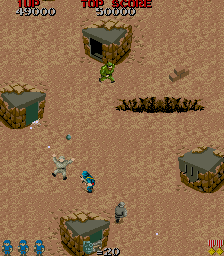
Commando, known as Senjō no Ōkami in Japan, is a 1985 arcade run and gun game from Capcom. Designed by Tokuro Fujiwara, it was released worldwide, with North American distribution handled by Data East. While sharing a name with a popular film from the same year, the game has no connection to that movie. It arrived at a time when arcades were flooded with shooters, but Commando carved out its own identity.
Playing as a lone soldier named Super Joe, you fight through vertically scrolling stages filled with enemy troops. The core gameplay involves moving upward while firing your machine gun and tossing grenades to clear a path. You have to avoid enemy fire and obstacles, with each stage ending after you reach a certain point. The action is relentless, requiring quick reflexes and smart use of limited grenades.
Today, Commando stands as a foundational title in the run and gun genre. It directly influenced games like Ikari Warriors and later overhead shooters. For retro fans, it offers a pure, challenging arcade experience from Capcom's early days. If you enjoy no-frills action that tests your twitch skills, this one is worth a play.
GAME INFO
- Platform
- Arcade
- Genre
- Run and Gun
- Publisher
- Capcom
- Developer
- Capcom
- Released
- 1985
- Players
- 1
- Region
- Worldwide
How to play Commando online
To get started, insert a coin by pressing the Select button (V) if needed, then press Enter to start. You control Super Joe as he runs and shoots through enemy territory. Hold the fire button (S) to continuously shoot your machine gun, and press the attack button (X) to throw a grenade. Grenades are limited, so use them wisely against groups or armored enemies. The goal is to survive each vertically scrolling stage, avoiding enemy bullets and destroying obstacles that block your path. Watch for supply crates that might replenish grenades. The game ends when you lose all lives, so keep moving and stay alert.
CONTROLS
Controls
- Arrow Keys: Joystick / Movement
- X: Button 1
- S: Button 2
- Z: Button 3
- A: Button 4
- Q: Button 5
- E: Button 6
- Enter: Start / 1P
- V: Coin / Insert
Commando FAQ
Is Commando an official release, a fan hack, a prototype, or another kind of build?
Commando is an official arcade game released by Capcom in 1985. It is not a hack, prototype, or fan-made build.
What makes Commando stand out among Arcade titles of its era?
It helped establish the run and gun genre with its top-down perspective and fast-paced action. Its level design and enemy waves set a standard for later shooters.
In what year was Commando originally released?
1985.
You may also like
All Arcade games











GAME INFO
- Platform
- Arcade
- Genre
- Run and Gun
- Publisher
- Capcom
- Developer
- Capcom
- Released
- 1985
- Players
- 1
- Region
- Worldwide
COMMENTS (0)
No comments yet. Be the first to share your thoughts.