CHOOSE A VERSION
3 versions · same consoleChoose an original release, regional version, revision, bootleg or clearly labelled ROM hack/mod, then press Play. Hacks may change the gameplay. Switching versions restarts the player.
Selected: Default · US · USA
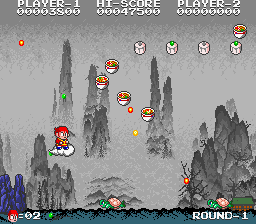
The game loads when you press Play · press “Play Now” inside the game if it asks.
Chuka Taisen (US)
Chuka Taisen
What is Chuka Taisen?
GAME INFO
How to play Chuka Taisen online
CONTROLS
Controls
- Arrow Keys: Joystick / Movement
- X: Button 1
- S: Button 2
- Z: Button 3
- A: Button 4
- Q: Button 5
- E: Button 6
- Enter: Start / 1P
- V: Coin / Insert
Chuka Taisen FAQ
Who developed Chuka Taisen?
Chuka Taisen was developed and published by Taito, though specific programmer or designer credits are not widely documented. It was part of Taito's late-1980s arcade lineup.
Does Chuka Taisen have a multiplayer or co-op mode?
The game supports two players in an alternating fashion, not simultaneous co-op. Each player takes turns playing, with the goal of achieving the highest score.
Is there anything iconic or memorable about Chuka Taisen?
Its difficulty is a standout feature, often requiring precise dodging and weapon management. The game's colorful graphics and power-up system are typical of Taito's shooters, but it never achieved the lasting fame of titles like Twin Cobra.












COMMENTS (0)
No comments yet. Be the first to share your thoughts.