The game loads when you press Play · press “Play Now” inside the game if it asks.
Chewing Gum
Chewing Gum
Chewing Gum on arcade
GAME INFO
How to play Chewing Gum online
Getting Started
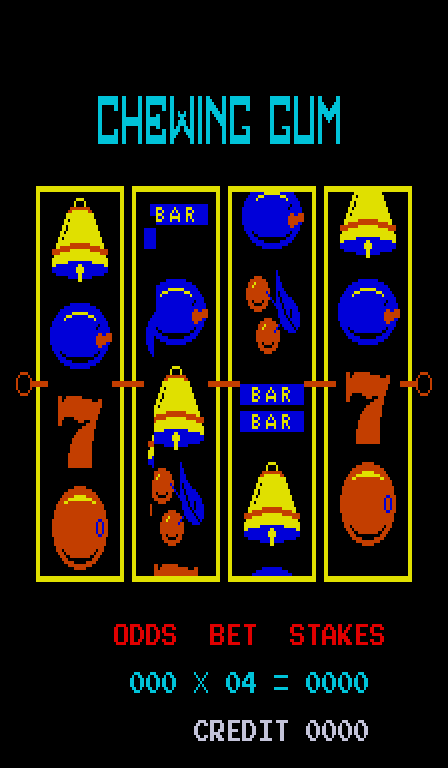
Begin by pressing Enter (or the coin button in the emulator) to start the game. If a title screen appears, you may need to press Start to begin play. The objective is typical of arcade action games: control your character using the arrow keys to move, press X to interact (likely to jump or confirm actions), and avoid obstacles or enemies to survive as long as possible. The exact goals are tied to the game's specific level design.
Your performance is measured by your score, displayed on screen. The game ends when you lose all lives. Focus on learning movement patterns and timing, as most arcade games reward practice. If the game presents Japanese text (which is common for obscure imports), the menus may be difficult to navigate, but typically the button to start is consistent. Use the emulator's save state feature to experiment without penalty.
CONTROLS
Controls
- Arrow Keys: Joystick / Movement
- X: Button 1
- S: Button 2
- Z: Button 3
- A: Button 4
- Q: Button 5
- E: Button 6
- Enter: Start / 1P
- V: Coin / Insert
Chewing Gum FAQ
Who developed Chewing Gum?
The developer of Chewing Gum is not widely documented in retro gaming databases or commonly available sources. It appears to be an obscure arcade game with no credited studio in the usual preservation records.
Roughly how long does it take to finish Chewing Gum?
There is no definitive ending to Chewing Gum; like many classic arcade games, it runs in a loop until the player runs out of lives. A typical session for a newcomer might last a minute or two, while experienced players could extend their playtime significantly through practice.
Is Chewing Gum exclusive to Arcade or did it appear on other systems?
Chewing Gum appears to be exclusive to arcade cabinets. No official ports to home consoles, computers, or handhelds have been documented, and it is not known to have been released on any other platform.












COMMENTS (0)
No comments yet. Be the first to share your thoughts.