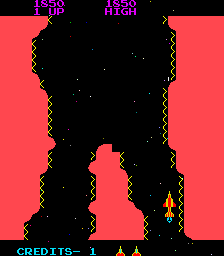
The game loads when you press Play · press “Play Now” inside the game if it asks.
Catacomb [Bad Colours]
Catacomb
Catacomb: arcade Shooter
Unofficial ROM hack. The notes below come from community sources and have not been verified against the patch itself, so levels, mechanics and features may differ from what is described.
GAME INFO
How to play Catacomb online
Getting Started
You start in a small brick room with a wall of stone ahead. Move with the arrow keys and press S to fire your magic bolts at the floating skulls and other enemies that appear. The goal is to find keys to unlock doors, collect treasures, and reach the exit to the next level. The maze is viewed from a top-down perspective, and you can strafe by moving sideways while facing a direction.
Combat is simple but quick - enemies move toward you along set paths, and your shots travel in a straight line. The game expects you to learn enemy patterns and use the environment to avoid being cornered. Watch your health indicator (a row of hearts) and grab potions when you find them. If you die, you restart the level with full health.
Because this is an unofficial version with altered colors, some visual cues (like key colors or door types) may be harder to read. Focus on the shapes and layout. The game's core loop of explore, shoot, collect, and advance is unchanged from the original 1989 release.
CONTROLS
Controls
- Arrow Keys: Joystick / Movement
- X: Button 1
- S: Button 2
- Z: Button 3
- A: Button 4
- Q: Button 5
- E: Button 6
- Enter: Start / 1P
- V: Coin / Insert
Catacomb FAQ
Does Catacomb have a multiplayer or co-op mode?
No. The original Catacomb is strictly a single-player affair. No multiplayer or co-op options are available in any known version.
What makes Catacomb stand out among Arcade titles of its era?
It introduced smooth strafing movement and fast enemy AI that later directly influenced Wolfenstein 3D. For a 1989 game, its top-down action felt more responsive than many contemporary shooters.
Is Catacomb an official release, a fan hack, a prototype, or another kind of build?
The original Catacomb is an official commercial release by Softdisk from 1989. The "Bad Colours" version is likely a fan-modified ROM or an emulation artifact where the color palette has been deliberately or accidentally changed.












COMMENTS (0)
No comments yet. Be the first to share your thoughts.