CHOOSE A VERSION
8 versions · same consoleChoose an original release, regional version, revision, bootleg or clearly labelled ROM hack/mod, then press Play. Hacks may change the gameplay. Switching versions restarts the player.
- Default · 971017 Euro
- 970722 Euro Phoenix Edition · Bootleg
- 970722 Asia
- 970722 Euro
- 970722 Hispanic
- 970722 Japan
- 970722 Japan, yellow case
- Japan (970722, Rent version)
Selected: Default · 971017 Euro · Europe
The game loads when you press Play · press “Play Now” inside the game if it asks.
Capcom Sports Club (971017 Euro)
Capcom Sports Club
Capcom Sports Club on arcade
GAME INFO
How to play Capcom Sports Club online
Getting Started
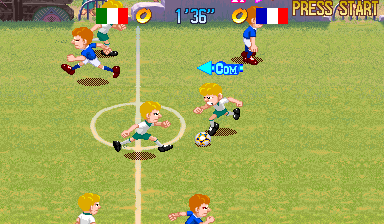
When you launch Capcom Sports Club, you are greeted by a title screen and then a menu to select one of the three sports: soccer, basketball, or tennis. Use the Arrow Keys to highlight your choice and press X to confirm. Each sport supports one or two players. If you are playing alone, the computer will control your teammate. Select the number of players and then choose your team color before the match begins.
The core loop is simple: you and your AI partner compete against two opponents in a timed match. In soccer and basketball, you move with the D-Pad, use X to jump (for headers, rebounds, or shots), and S to pass or shoot. Pressing Z performs a special move unique to each sport. Tennis uses the same buttons for serving, hitting, and lobbing. The matches are short - typically two halves or sets - so expect to play multiple times to get the hang of each game. The controls are responsive, but the two-on-two chaos takes practice to master.
If this is the European version, the menus are in English, so navigation is straightforward. There are no deep options or practice modes; just pick a sport and play. The game automatically ends when the match is over and returns you to the title screen. For a new player, start with soccer as it's the most intuitive of the three. Remember that your teammate AI is basic, so you'll need to position yourself well to score or defend.
CONTROLS
Controls
- Arrow Keys: Joystick / Movement
- X: Button 1
- S: Button 2
- Z: Button 3
- A: Button 4
- Q: Button 5
- E: Button 6
- Enter: Start / 1P
- V: Coin / Insert
Capcom Sports Club FAQ
What type of game is Capcom Sports Club?
Capcom Sports Club is an arcade sports compilation that includes soccer, basketball, and tennis. All three sports are played in a two-on-two format on Capcom's CPS-2 hardware. It is a multiplayer-focused game designed for quick, energetic matches.
What makes Capcom Sports Club stand out among Arcade titles of its era?
Its bundling of three distinct sports in one cabinet was unusual for the mid-90s arcade scene. The two-on-two structure gives each sport a unique, chaotic feel that differs from standard arcade sports games of the time. Capcom's signature graphical style and tight controls also help it stand out among lesser-known arcade releases.
Is there anything iconic or memorable about Capcom Sports Club?
The game's most memorable aspect is its rare status - it never received a home port, making this arcade rom the only way to play it. The exaggerated character animations and high-energy music capture the arcade sports spirit. For collectors, its CPS-2 cartridge format and limited European release add to its mystique.












COMMENTS (0)
No comments yet. Be the first to share your thoughts.