CHOOSE A VERSION
2 versions · same consoleChoose an original release, regional version, revision, bootleg or clearly labelled ROM hack/mod, then press Play. Hacks may change the gameplay. Switching versions restarts the player.
Selected: Default · FD1094 317-0041 · Japan, USA
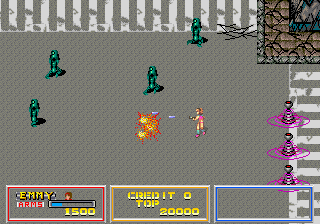
The game loads when you press Play · press “Play Now” inside the game if it asks.
Bullet (FD1094 317-0041)
Bullet
What is Bullet?
GAME INFO
How to play Bullet online
CONTROLS
Controls
- Arrow Keys: Joystick / Movement
- X: Button 1
- S: Button 2
- Z: Button 3
- A: Button 4
- Q: Button 5
- E: Button 6
- Enter: Start / 1P
- V: Coin / Insert
Bullet FAQ
What type of game is Bullet?
It's a classic arcade horizontal scrolling shooter from Sega, originally released in 1987. The player controls a fighter jet and must destroy enemy waves while avoiding incoming fire.
Does Bullet have a multiplayer or co-op mode?
No, Bullet is strictly a single-player experience. The arcade cabinet only supported one player at a time.
Is Bullet an official release, a fan hack, a prototype, or another kind of build?
It is an official commercial arcade release by Sega. The "FD1094 317-0041" designation refers to a specific encrypted ROM version used in production cabinets.












COMMENTS (0)
No comments yet. Be the first to share your thoughts.