CHOOSE A VERSION
5 versions · same consoleChoose an original release, regional version, revision, bootleg or clearly labelled ROM hack/mod, then press Play. Hacks may change the gameplay. Switching versions restarts the player.
- Default · Original
- Best League (bootleg of Big Striker, Italian Serie A) [Bootleg]
- Best League (bootleg of Big Striker, World Cup) [Bootleg]
- bootleg
- bootleg w/Italian teams
Selected: Default · Original
The game loads when you press Play · press “Play Now” inside the game if it asks.
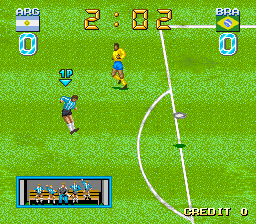
Big Striker
Big Striker
Big Striker: arcade Sports
GAME INFO
How to play Big Striker online
CONTROLS
Controls
- Arrow Keys: Joystick / Movement
- X: Button 1
- S: Button 2
- Z: Button 3
- A: Button 4
- Q: Button 5
- E: Button 6
- Enter: Start / 1P
- V: Coin / Insert
Big Striker FAQ
Does Big Striker have a multiplayer or co-op mode?
The information is not widely documented, but many arcade soccer games from the early 1990s included a two-player versus mode. It is likely that Big Striker supports head-to-head play, though exact details are not confirmed.
In what year was Big Striker originally released?
The release year for Big Striker is not well documented. It probably came out sometime in the early 1990s, but no specific year is widely cited.
Is Big Striker exclusive to Arcade or did it appear on other systems?
Big Striker appears to be an arcade-only release. There are no known ports to home consoles or computers from that period.












COMMENTS (0)
No comments yet. Be the first to share your thoughts.