CHOOSE A VERSION
4 versions · same consoleChoose an original release, regional version, revision, bootleg or clearly labelled ROM hack/mod, then press Play. Hacks may change the gameplay. Switching versions restarts the player.
Selected: Default · World · Worldwide
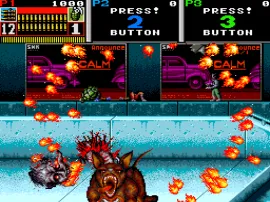
The game loads when you press Play · press “Play Now” inside the game if it asks.
Beast Busters (World)
Beast Busters
Getting to Know Beast Busters
GAME INFO
How to play Beast Busters online
CONTROLS
Controls
- Arrow Keys: Joystick / Movement
- X: Button 1
- S: Button 2
- Z: Button 3
- A: Button 4
- Q: Button 5
- E: Button 6
- Enter: Start / 1P
- V: Coin / Insert
Beast Busters FAQ
Which regions was Beast Busters released in?
The arcade version was released worldwide, with the title "Beast Busters (World)" indicating a global release. Home computer ports appeared in Europe on the Amiga and Atari ST in 1990.
Can players save progress in Beast Busters?
As an arcade game, Beast Busters does not include save functionality. The game is designed for short sessions and high score chasing, typical of the era.
Who developed Beast Busters?
Beast Busters was developed and published by SNK, the same company known for fighting games like Fatal Fury and King of Fighters.












COMMENTS (0)
No comments yet. Be the first to share your thoughts.