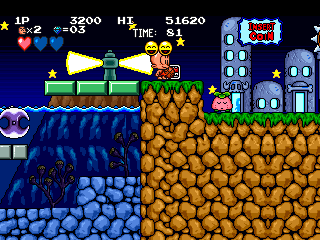
The game loads when you press Play · press “Play Now” inside the game if it asks.
B.C. Kid / Bonk's Adventure / Kyukyoku!! PC Genjin
B.C. Kid / Bonk's Adventure / Kyukyoku!! PC Genjin
B.C. Kid / Bonk's Adventure / Kyukyoku!! PC Genjin Overview
- Arcade
- Platformer
- 5· 0 votes
GAME INFO
- Platform
- Arcade
- Genre
- Platformer
- Publisher
- Atlus
- Developer
- Red Company
- Released
- 1991
- Players
- 1
- Region
- Japan, USA, Europe
How to play B.C. Kid / Bonk's Adventure / Kyukyoku!! PC Genjin online
Getting Started
This is a side-scrolling platformer where you control Bonk, a caveman with a big head. Your main attack is a headbutt, performed by pressing the B button (S key) while standing or jumping. Use the D-Pad to move left or right, and press the A button (X key) to jump. The goal of each stage is to reach the end while defeating enemies and collecting items like fruit or meat for points.
The core loop involves running through prehistoric-themed levels, smashing enemies with your head, and avoiding hazards like pits and spikes. You can also climb vines and swing on ropes. Some stages have mid-bosses and end-of-level bosses that require multiple headbutts to defeat. If you get hit, you lose a life, but extra lives can be earned through high scores or by collecting special items.
New players should focus on learning enemy patterns and timing their jumps carefully. The arcade version has a continue system, so don't be afraid to keep trying. Since the game is in English or Japanese depending on the ROM, menus are straightforward - just press Start to begin. Experiment with the shoulder buttons (Q and E) if you encounter any special moves, but the basic controls are sufficient to enjoy the game.
CONTROLS
Controls
- Arrow Keys: Joystick / Movement
- X: Button 1
- S: Button 2
- Z: Button 3
- A: Button 4
- Q: Button 5
- E: Button 6
- Enter: Start / 1P
- V: Coin / Insert
B.C. Kid / Bonk's Adventure / Kyukyoku!! PC Genjin FAQ
Does B.C. Kid / Bonk's Adventure / Kyukyoku!! PC Genjin have a multiplayer or co-op mode?
No, this is a single-player arcade platformer. There is no cooperative or versus mode available in any region of the game.
Is B.C. Kid / Bonk's Adventure / Kyukyoku!! PC Genjin considered easy to pick up or challenging?
It offers a moderate difficulty curve typical of early 90s arcade platformers. The early stages are forgiving, but later levels require precise jumping and enemy management, and continues are limited unless you keep inserting credits.
Who developed B.C. Kid / Bonk's Adventure / Kyukyoku!! PC Genjin?
The arcade version was developed by Red Company and published by Atlus in 1991. The original TurboGrafx-16 title was also created by Red Company.
You may also like
All Arcade games











GAME INFO
- Platform
- Arcade
- Genre
- Platformer
- Publisher
- Atlus
- Developer
- Red Company
- Released
- 1991
- Players
- 1
- Region
- Japan, USA, Europe
COMMENTS (0)
No comments yet. Be the first to share your thoughts.