CHOOSE A VERSION
2 versions · same consoleChoose an original release, regional version, revision, bootleg or clearly labelled ROM hack/mod, then press Play. Hacks may change the gameplay. Switching versions restarts the player.
Selected: Default · Original
The game loads when you press Play · press “Play Now” inside the game if it asks.
Armed Formation
Armed Formation
Inside Armed Formation
GAME INFO
How to play Armed Formation online
CONTROLS
Controls
- Arrow Keys: Joystick / Movement
- X: Button 1
- S: Button 2
- Z: Button 3
- A: Button 4
- Q: Button 5
- E: Button 6
- Enter: Start / 1P
- V: Coin / Insert
Armed Formation FAQ
Is there anything iconic or memorable about Armed Formation?
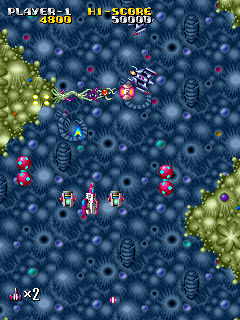
Armed Formation is not widely cited as a standout title, but it represents the typical vertical shooter of its generation. Its visuals and sound are consistent with early-to-mid-80s coin-op design.
What makes Armed Formation stand out among Arcade titles of its era?
It does not introduce groundbreaking mechanics; rather, it follows the established formula of the time. Its distinction, if any, lies in its relatively smooth scrolling and straightforward challenge progression.
Which regions was Armed Formation released in?
Exact regional release information is not widely documented. It was most likely distributed in Japan and possibly brought to arcades in other territories through regular import channels.












COMMENTS (0)
No comments yet. Be the first to share your thoughts.