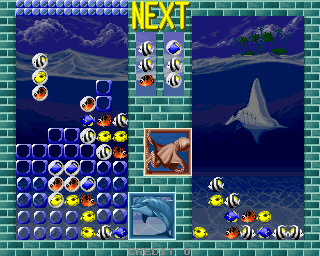
The game loads when you press Play · press “Play Now” inside the game if it asks.
Aquarium (Japan)
Aquarium
Aquarium - Simulation Classic
- Arcade
- Simulation
- 5· 0 votes
GAME INFO
- Platform
- Arcade
- Genre
- Simulation
- Publisher
- Electronic Arts Square
- Developer
- Entergram
- Released
- 1998
- Players
- 1
- Region
- Japan
How to play Aquarium online
Getting Started
When you launch Aquarium, you will be greeted by Japanese menus - there is no English option. The main menu has options like starting a new aquarium, loading a saved one, and settings. Use the arrow keys to navigate and the X button to confirm selections. If you are unfamiliar with Japanese characters, try selecting the topmost option to begin a new game.
The core loop is simple: you are given an empty tank where you can add various types of fish, decorative plants, and tank ornaments. Money is earned over time as your fish thrive, which you can then spend on new species or upgrades. You must keep an eye on water temperature, cleanliness, and feeding schedules to keep your aquatic friends healthy. The game runs in real time, but you can speed up or pause using the options in the menu.
Since this is a simulation with no real arcade urgency, take your time exploring the interface. The controls are straightforward once you know which button does what. If you get stuck, remember that the B button (S on keyboard) often cancels or goes back. Enjoy the calm atmosphere - this is a game about patience and creativity, not quick reflexes.
CONTROLS
Controls
- Arrow Keys: Joystick / Movement
- X: Button 1
- S: Button 2
- Z: Button 3
- A: Button 4
- Q: Button 5
- E: Button 6
- Enter: Start / 1P
- V: Coin / Insert
Aquarium FAQ
Who developed Aquarium?
The developer is not widely documented; the game was published by Electronic Arts Square. Many sources credit the development to a small team within that label, but precise studio names are rarely stated.
What makes Aquarium stand out among Arcade titles of its era?
Aquarium is one of the few full-fledged simulation games available on a platform dominated by fast-paced action and puzzle games. Its focus on virtual fish care and real-time maintenance offers a meditative alternative to the typical arcade experience, appealing to players who enjoy sandbox management.
Does Aquarium have a multiplayer or co-op mode?
No multiplayer or co-op mode exists. The game is strictly a single-player experience where you manage your aquarium alone. There are no leaderboards, online features, or competitive elements.
You may also like
All Arcade games











GAME INFO
- Platform
- Arcade
- Genre
- Simulation
- Publisher
- Electronic Arts Square
- Developer
- Entergram
- Released
- 1998
- Players
- 1
- Region
- Japan
COMMENTS (0)
No comments yet. Be the first to share your thoughts.