CHOOSE A VERSION
8 versions · same consoleChoose an original release, regional version, revision, bootleg or clearly labelled ROM hack/mod, then press Play. Hacks may change the gameplay. Switching versions restarts the player.
- Default · 951207 USA
- 951207 USA Phoenix Edition · Bootleg
- 951207 Asia
- 951207 Japan
- 951218 Brazil
- 951218 Hispanic
- 951225 Japan
- 960104 Japan, yellow case
Selected: Default · 951207 USA · USA
The game loads when you press Play · press “Play Now” inside the game if it asks.
19XX - the war against destiny (951207 USA)
19XX - the war against destiny
About 19XX - the war against destiny
GAME INFO
How to play 19XX - the war against destiny online
Getting Started
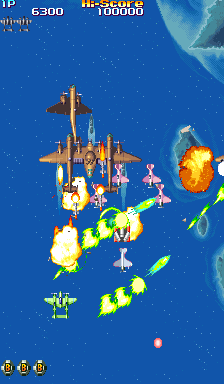
When you boot up 19XX, you're greeted by a mission briefing screen and then taken to a plane selection. You can choose from three different fighters, each with a distinct primary weapon and a charge shot. The core loop is simple: fly upward, dodge enemy bullets, and shoot everything in your path. Your standard shot can be charged by holding down the attack button, releasing a powerful laser that cuts through weaker enemies and deals heavy damage to bosses.
You'll also collect power-up items that drop from destroyed enemies. These improve your main weapon's spread and damage. Occasionally, you'll pick up bombs, which act as a screen-clearing attack and brief invincibility. The game throws wave after wave of enemy planes, turrets, and tanks at you, and each stage ends with a boss fight. Learning enemy patterns and mastering your charge shot timing is key to survival. The difficulty ramps up quickly, so don't get discouraged if you lose a credit early on - that's just how arcade shooters work.
CONTROLS
Controls
- Arrow Keys: Joystick / Movement
- X: Button 1
- S: Button 2
- Z: Button 3
- A: Button 4
- Q: Button 5
- E: Button 6
- Enter: Start / 1P
- V: Coin / Insert
19XX - the war against destiny FAQ
Who developed 19XX - the war against destiny?
Capcom developed this arcade title in 1995, making it part of their long-running 194X series of vertical shooters. The same team that worked on games like 1944: The Loop Master likely handled this one.
Is 19XX - the war against destiny exclusive to Arcade or did it appear on other systems?
19XX remained an arcade exclusive and never received a home console port. However, it has been re-released in various Capcom arcade compilations on modern platforms like PlayStation and Xbox.
In what year was 19XX - the war against destiny originally released?
The arcade version hit Japanese arcades in 1995, with the US release arriving the same year under the catalog number 951207. Capcom often staggered arcade releases regionally, but both were out by the end of 1995.












COMMENTS (0)
No comments yet. Be the first to share your thoughts.