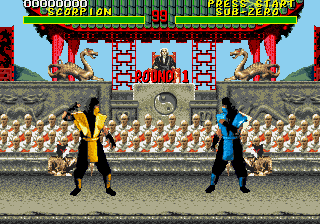
The game loads when you press Play · press “Play Now” inside the game if it asks.
Mortal Kombat Arcade Edition v1.0a
Mortal Kombat Arcade Edition v1.0a
Mortal Kombat Arcade Edition v1.0a Overview
- SEGA Genesis
- Fighting
- ROM Hack
- 5· 0 votes
Unofficial ROM hack. The notes below come from community sources and have not been verified against the patch itself, so levels, mechanics and features may differ from what is described.
GAME INFO
- Platform
- SEGA Genesis
- Genre
- Fighting
- Players
- 1-2
- Version
- v1.0a
- Based on
- Mortal Kombat
More Mortal Kombat Games
Ready for another round? Explore more Mortal Kombat games and console editions. Choose a game below to play it on its own page.
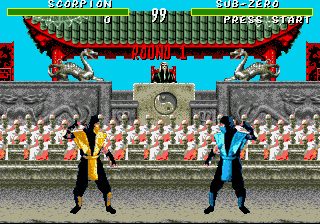


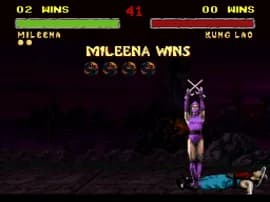
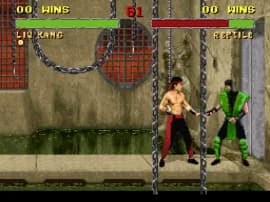
How to play Mortal Kombat Arcade Edition v1.0a online
Getting Started
Select a fighter from the roster using the D-Pad and confirm with the A button (X key). The goal is to defeat your opponent in best-of-three rounds. Each round starts with both fighters at full health.
Learn the basic attacks - high punch, low kick, and block - then experiment with special moves like fireballs or uppercuts by combining direction inputs with attack buttons. The hack may tweak these inputs to match arcade timing.
Finish your opponent with a Fatality or other finishing move when the announcer says "Finish Him/Her." Check the pause menu or in-game hints if available. Practice against the CPU before taking on a friend in versus mode.
CONTROLS
Controls
- Arrow Keys: D-Pad / Movement
- X: A button
- S: B button
- Z: C button
- A: X button (6-button pad)
- Q: Y button (6-button pad)
- E: Z button (6-button pad)
- Enter: Start / Mode
Mortal Kombat Arcade Edition v1.0a FAQ
Does Mortal Kombat Arcade Edition v1.0a have a multiplayer or co-op mode?
Two players can fight head-to-head. There is no cooperative mode; it is strictly versus play.
Is Mortal Kombat Arcade Edition v1.0a exclusive to SEGA Genesis or did it appear on other systems?
This hack exists only for the SEGA Genesis platform. The original Mortal Kombat arcade cabinet and other console ports are separate and unaffected.
Roughly how long does it take to finish Mortal Kombat Arcade Edition v1.0a?
A single-player run through the tournament mode takes about 10 to 15 minutes, varying by skill level. There is no definite ending beyond the final boss.
You may also like
All SEGA Genesis games











GAME INFO
- Platform
- SEGA Genesis
- Genre
- Fighting
- Players
- 1-2
- Version
- v1.0a
- Based on
- Mortal Kombat
COMMENTS (0)
No comments yet. Be the first to share your thoughts.