CHOOSE A VERSION
3 versions · same consoleChoose an original release, regional version, revision, bootleg or clearly labelled ROM hack/mod, then press Play. Hacks may change the gameplay. Switching versions restarts the player.
- Default · USA
- GrandSlam - The Tennis Tournament '92 (Japan)
- GrandSlam - The Tennis Tournament (Europe)
Selected: Default · USA · USA
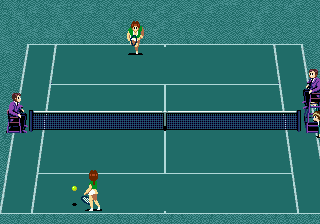
The game loads when you press Play · press “Play Now” inside the game if it asks.
Jennifer Capriati Tennis (USA)
Jennifer Capriati Tennis
About Jennifer Capriati Tennis
- SEGA Genesis
- Sports
- 5· 0 votes
GAME INFO
- Platform
- SEGA Genesis
- Genre
- Sports
- Developer
- Telenet Japan
- Released
- 1992
- Players
- 1-2
- Region
- USA
How to play Jennifer Capriati Tennis online
CONTROLS
Controls
- Arrow Keys: D-Pad / Movement
- X: A button
- S: B button
- Z: C button
- A: X button (6-button pad)
- Q: Y button (6-button pad)
- E: Z button (6-button pad)
- Enter: Start / Mode
Jennifer Capriati Tennis FAQ
Is Jennifer Capriati Tennis an official release, a fan hack, a prototype, or another kind of build?
Developed by System Sacom and released in 1992 for the Sega Genesis, it is an officially licensed game featuring the professional tennis player. It is not a fan hack or prototype.
Is Jennifer Capriati Tennis exclusive to SEGA Genesis or did it appear on other systems?
The game was released on multiple platforms, including the NES and Game Boy, in addition to the Sega Genesis. This particular version is the Genesis release.
Who developed Jennifer Capriati Tennis?
System Sacom, a Japanese development studio, created the game. They were known for several sports titles on 16-bit consoles.
You may also like
All SEGA Genesis games











GAME INFO
- Platform
- SEGA Genesis
- Genre
- Sports
- Developer
- Telenet Japan
- Released
- 1992
- Players
- 1-2
- Region
- USA
COMMENTS (0)
No comments yet. Be the first to share your thoughts.