The game loads when you press Play · press “Play Now” inside the game if it asks.
Medarot 4 - Kabuto Version (Japan)
Medarot 4 - Kabuto Version
Medarot 4 - Kabuto Version - RPG Classic
- Game Boy Color
- RPG
- 5· 0 votes
GAME INFO
- Platform
- Game Boy Color
- Genre
- RPG
- Released
- 2001
- Players
- 1
- Region
- Japan
More Medarot Games
Ready for another round? Explore more Medarot games and console editions. Choose a game below to play it on its own page.
How to play Medarot 4 - Kabuto Version online
Getting Started
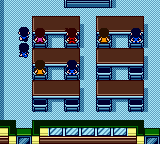
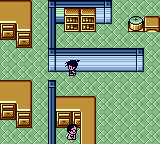
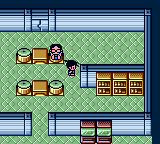
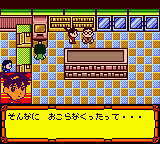
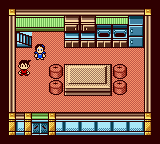
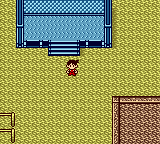
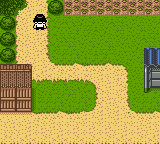
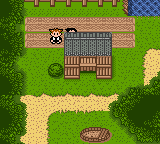
When you boot up Medarot 4 - Kabuto Version, you'll be greeted by Japanese menus. The main game is a traditional RPG where you control a young boy who collects and battles Medarots (robot partners). You start by naming your character and choosing your first Medarot, which will be your starter partner for the adventure. Navigate the menu using the D-Pad and confirm with the A button (X key).
The core loop involves exploring towns and dungeons, talking to NPCs, and engaging in turn-based robot battles. Battles are fought by issuing commands to your Medarot: attack, use parts, or defend. You can collect new parts and Medarots by winning battles or finding them in the world. Since the text is entirely in Japanese, you may need to rely on pattern recognition or fan guides to understand story cues and item names.
A key mechanic is the ability to customize your Medarot's parts (head, arms, legs) to change its abilities and stats. Experiment with different loadouts to find effective strategies against opponents. The game saves your progress automatically at certain points, but you can also manually save by selecting the save option from the menu (usually the last option). If you get stuck, the general flow is to advance the story by talking to key characters and heading to new areas marked on the map.
CONTROLS
Controls
- Arrow Keys: D-Pad / Movement
- X: A button (jump / confirm)
- S: B button (run / attack / cancel)
- Enter: Start / Pause
- V: Select
Medarot 4 - Kabuto Version FAQ
Who developed Medarot 4 - Kabuto Version?
The game was developed by Imagineer, the same studio behind many titles in the Medarot series. The specific development team within Imagineer handled this Game Boy Color entry.
Is Medarot 4 - Kabuto Version exclusive to Game Boy Color or did it appear on other systems?
It was released exclusively for the Game Boy Color in Japan and never ported to other platforms. No official remake or re-release has been made available outside of Japan.
In what year was Medarot 4 - Kabuto Version originally released?
Medarot 4 - Kabuto Version originally launched in Japan in 2001. It arrived near the end of the Game Boy Color's commercial life cycle.
You may also like
All Game Boy Color games











GAME INFO
- Platform
- Game Boy Color
- Genre
- RPG
- Released
- 2001
- Players
- 1
- Region
- Japan
COMMENTS (0)
No comments yet. Be the first to share your thoughts.