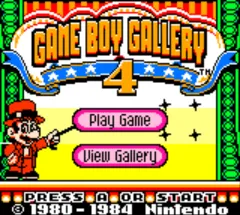
The game loads when you press Play · press “Play Now” inside the game if it asks.
Game Boy Gallery 4 (Australia)
Game Boy Gallery 4
Inside Game Boy Gallery 4
- Game Boy Color
- Arcade
- 5· 0 votes
Game Boy Gallery 4 is the Australian release title for what is essentially Game & Watch Gallery 3 on the Game Boy Color. This compilation hit shelves in 1999, published by Nintendo. It collects five classic Game & Watch handheld games from the 1980s, bringing them to the portable color screen. The series is known for preserving Nintendo's early LCD arcade designs with updated visuals and sound. The Australian variant keeps the same core experience but under a different numbering scheme.
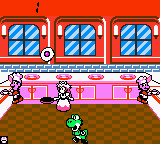
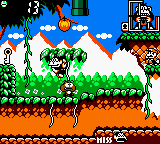
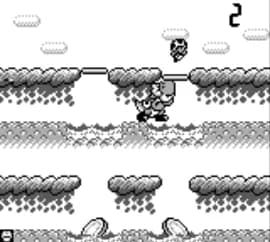
Inside, players choose from five minigames: Fire, Flagman, Manhole, Chef, and one more (typically Turtle Bridge or similar). Each game has a simple objective - catching falling objects, timing jumps, or avoiding hazards - with the action speeding up as you progress. There are also harder difficulty modes and a modernized graphical style alongside the original monochrome versions. The challenge comes from mastering the rapid pace and optimizing your responses.
For retro fans, this collection offers a pure, pick-up-and-play experience that holds up well today. The games are distilled to their core mechanics - no fluff, just reflexive gameplay. It is a faithful tribute to Nintendo's handheld origins. If you enjoy quick arcade challenges or want to see where the Game & Watch legacy began, Game Boy Gallery 4 is worth a look.
GAME INFO
- Platform
- Game Boy Color
- Genre
- Arcade
- Released
- 1999
- Players
- 1
- Based on
- Game & Watch Gallery 3
More Game & Watch Gallery Games
Ready for another round? Explore more Game & Watch Gallery games and console editions. Choose a game below to play it on its own page.
How to play Game Boy Gallery 4 online
First, select a game from the main menu using the D-Pad and confirm with the A button (X key). Each mini-game has a simple tutorial screen explaining the objective. The core loop is repeating the same action faster and faster as the level increases. You earn stars for completing certain goals, unlocking harder difficulties or extra modes.
There are also modern and classic visual styles to toggle. If you lose all lives, you can continue from the same game or try another. The games are short, designed for quick sessions. Because this is the Australian release, menus and text are in English, so navigating is straightforward. Focus on learning the rhythm of each game to improve your high score.
CONTROLS
Controls
- Arrow Keys: D-Pad / Movement
- X: A button (jump / confirm)
- S: B button (run / attack / cancel)
- Enter: Start / Pause
- V: Select
Game Boy Gallery 4 FAQ
Does Game Boy Gallery 4 have a multiplayer or co-op mode?
The game is strictly single-player. Each of the five minigames is designed for one player only.
What type of game is Game Boy Gallery 4?
It is a compilation of classic Game & Watch arcade games. Each game is a simple reflex-based challenge with increasing speed and difficulty.
Is Game Boy Gallery 4 exclusive to Game Boy Color or did it appear on other systems?
This collection was released only on Game Boy Color. The original Game & Watch Gallery 3 (under which this version falls) did not appear on other platforms.
You may also like
All Game Boy Color games











GAME INFO
- Platform
- Game Boy Color
- Genre
- Arcade
- Released
- 1999
- Players
- 1
- Based on
- Game & Watch Gallery 3
COMMENTS (0)
No comments yet. Be the first to share your thoughts.