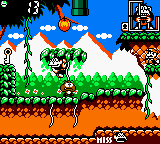
The game loads when you press Play · press “Play Now” inside the game if it asks.
Game & Watch Gallery 3 (USA, Europe)
Game & Watch Gallery 3
Inside Game & Watch Gallery 3
- Game Boy Color
- Arcade
- 5· 0 votes
GAME INFO
- Platform
- Game Boy Color
- Genre
- Arcade
- Released
- 1999
- Players
- 1
- Region
- USA, Europe
More Game & Watch Gallery Games
Ready for another round? Explore more Game & Watch Gallery games and console editions. Choose a game below to play it on its own page.
How to play Game & Watch Gallery 3 online
CONTROLS
Controls
- Arrow Keys: D-Pad / Movement
- X: A button (jump / confirm)
- S: B button (run / attack / cancel)
- Enter: Start / Pause
- V: Select
Game & Watch Gallery 3 FAQ
Is Game & Watch Gallery 3 exclusive to Game Boy Color or did it appear on other systems?
It was released only for the Game Boy Color. No ports or re-releases for other platforms have been made, though the game can be played through official emulation on some Nintendo systems.
In what year was Game & Watch Gallery 3 originally released?
The game originally came out in 1999. It launched during the later period of the Game Boy Color's lifespan, following the first two Gallery games on the original Game Boy.
Who developed Game & Watch Gallery 3?
Nintendo developed and published the title. Like the other Gallery entries, it was handled internally by the company, not by an outside developer.
You may also like
All Game Boy Color games











GAME INFO
- Platform
- Game Boy Color
- Genre
- Arcade
- Released
- 1999
- Players
- 1
- Region
- USA, Europe
COMMENTS (0)
No comments yet. Be the first to share your thoughts.