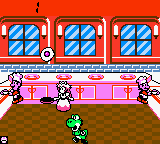
The game loads when you press Play · press “Play Now” inside the game if it asks.
Game & Watch Gallery 2 (USA, Europe)
Game & Watch Gallery 2
About Game & Watch Gallery 2
- Game Boy Color
- Arcade
- 5· 0 votes
GAME INFO
- Platform
- Game Boy Color
- Genre
- Arcade
- Released
- 1999
- Players
- 1
- Region
- USA, Europe
More Game & Watch Gallery Games
Ready for another round? Explore more Game & Watch Gallery games and console editions. Choose a game below to play it on its own page.
How to play Game & Watch Gallery 2 online
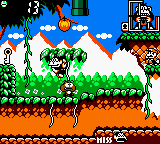
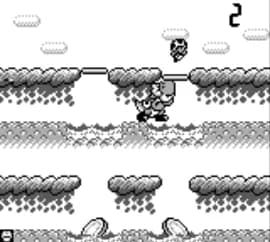
To start playing Game & Watch Gallery 2, first navigate the title screen using the D-Pad and press the A button (X key) to enter the main menu. From there, you can choose between the different games available - each one is represented by an icon with its name. Highlight a game and press A to begin. You will then be asked to select either "Classic" or "Modern" mode. Classic mode recreates the original monochrome LCD look with simple graphics, while Modern mode offers colored, more detailed artwork and sometimes slightly adjusted gameplay.
The core objective of each game is straightforward: earn as many points as possible by performing specific actions within the time limit or before losing all your lives. For example, in Fire you must keep characters bouncing on a trampoline to move them toward a rescue truck, and in Chef you catch flying food with a pan. Pay close attention to on-screen prompts - some games have multiple stages that increase difficulty. If you fail, you can restart from the menu. There is no save file, so high scores are retained only for the current session.
New players should start with a simple game like Chef or Fire to get used to the controls. Each game uses just one or two buttons, so the challenge comes from timing rather than complex inputs. Try to beat your own high score or aim for all the hidden "star" achievements in Modern mode (if available) for extra replay value. The menu is entirely in English, so navigation is straightforward.
CONTROLS
Controls
- Arrow Keys: D-Pad / Movement
- X: A button (jump / confirm)
- S: B button (run / attack / cancel)
- Enter: Start / Pause
- V: Select
Game & Watch Gallery 2 FAQ
Roughly how long does it take to finish Game & Watch Gallery 2?
A single playthrough of all included games in Modern mode can be completed in about an hour, though achieving high scores and unlocking all stars may take two to three hours. The original Classic mode games are shorter individually but offer similar time requirements for completion.
Is Game & Watch Gallery 2 exclusive to Game Boy Color or did it appear on other systems?
It was released for both the original Game Boy and the Game Boy Color, taking advantage of the Color's display when played on that hardware. It did not appear on other consoles or handhelds, though the Game & Watch Gallery series later saw entries on the Nintendo DS and other platforms.
Who developed Game & Watch Gallery 2?
The game was developed and published by Nintendo, with the original Game & Watch titles designed by Gunpei Yokoi. The exact internal development team is not widely documented, but Nintendo's R&D1 division handled the first Game & Watch Gallery compilation.
You may also like
All Game Boy Color games











GAME INFO
- Platform
- Game Boy Color
- Genre
- Arcade
- Released
- 1999
- Players
- 1
- Region
- USA, Europe
COMMENTS (0)
No comments yet. Be the first to share your thoughts.