CHOOSE A VERSION
2 versions · same consoleChoose an original release, regional version, revision, bootleg or clearly labelled ROM hack/mod, then press Play. Hacks may change the gameplay. Switching versions restarts the player.
Selected: Default · USA · USA
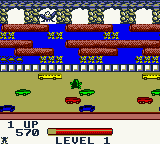
The game loads when you press Play · press “Play Now” inside the game if it asks.
Frogger (USA)
Frogger
Inside Frogger
- Game Boy Color
- Arcade
- 5· 0 votes
GAME INFO
- Platform
- Game Boy Color
- Genre
- Arcade
- Publisher
- Konami
- Developer
- Konami
- Released
- 1998
- Players
- 1
- Region
- USA
More Frogger Games
Ready for another round? Explore more Frogger games and console editions. Choose a game below to play it on its own page.

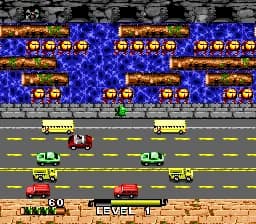
How to play Frogger online
CONTROLS
Controls
- Arrow Keys: D-Pad / Movement
- X: A button (jump / confirm)
- S: B button (run / attack / cancel)
- Enter: Start / Pause
- V: Select
Frogger FAQ
What makes Frogger stand out among Game Boy Color titles of its era?
Frogger translates an arcade classic to a handheld with almost no compromises. Its simple one-screen-per-level structure is perfect for quick play sessions, and the clean visuals and responsive controls make it feel right on the Game Boy Color. The game doesn't try to do too much, which lets the core challenge shine.
Is Frogger exclusive to Game Boy Color or did it appear on other systems?
No, Frogger is not exclusive to Game Boy Color. The original arcade game appeared on countless platforms, and the same year this GBC version came out, there were also ports for PlayStation, Nintendo 64, and others. This GBC release is just one of many adaptations.
Who developed Frogger?
The original arcade game was created by Konami in 1981. The developer of this specific Game Boy Color port is not widely documented, though it was likely handled by a third-party studio.
You may also like
All Game Boy Color games











GAME INFO
- Platform
- Game Boy Color
- Genre
- Arcade
- Publisher
- Konami
- Developer
- Konami
- Released
- 1998
- Players
- 1
- Region
- USA
COMMENTS (0)
No comments yet. Be the first to share your thoughts.