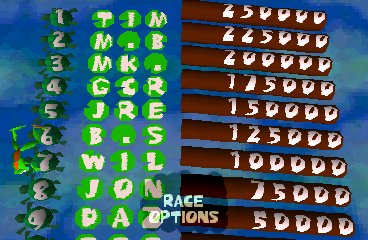
The game loads when you press Play · press “Play Now” inside the game if it asks.
Frogger
Frogger
Frogger - Action Classic
- PlayStation PSX
- Action
- 5· 0 votes
Frogger on the PlayStation, also known as PSX, is a classic action game that was originally developed by Konami. This title brings the beloved arcade experience of Frogger to home consoles, allowing players to navigate their frog across busy roads and rivers filled with hazards. Released in the late 1990s, this version retains the charm of the original while adapting it for a new generation of gamers.
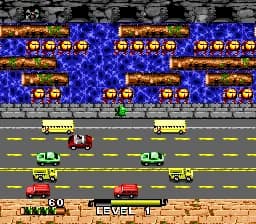
In Frogger, players take on the role of a frog trying to reach its home by crossing various obstacles. The gameplay revolves around timing and precision, as players must dodge cars, trucks, and other vehicles while also avoiding hazards in the water like logs and alligators. Each level presents a progressively challenging environment, requiring quick reflexes and strategic thinking to successfully navigate through the chaos.
What makes Frogger worth trying today is its nostalgic value and simple yet addictive gameplay. While it may not have the depth of some modern titles, its straightforward mechanics and level design highlight the charm of retro gaming. Frogger is a great example of classic arcade fun and fits well into any retro gaming library, especially for those who appreciate the genre's roots in straightforward challenge and skill-based play.
GAME INFO
- Platform
- PlayStation PSX
- Genre
- Action
- Publisher
- Konami
- Developer
- Konami
- Released
- 1997
- Players
- 1
- Region
- Japan, USA
More Frogger Games
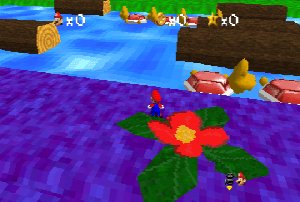
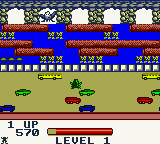
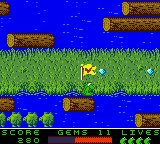
Ready for another round? Explore more Frogger games and console editions. Choose a game below to play it on its own page.

How to play Frogger online
To get started in Frogger, players will first need to select a game mode and start the first level. The core loop involves guiding the frog across the screen while avoiding various obstacles, like cars and obstacles in the water. The goal is to safely reach one of the designated home zones at the top of the screen.
As you play, it's important to pay attention to the patterns of traffic and the movement of hazards in the water. Timing your jumps is crucial to avoid getting hit or falling into the water. The game rewards careful planning and quick reflexes, making it an engaging experience for both new players and seasoned retro enthusiasts.
CONTROLS
Controls
- Arrow Keys — D-Pad / Movement
- X — Cross ( × )
- S — Square ( □ )
- Z — Triangle ( △ )
- A — Circle ( ○ )
- Q — L1 shoulder
- E — R1 shoulder
- Enter — Start
- V — Select
Frogger FAQ
Who developed Frogger?
The game was developed by Konami, a well-known publisher in the gaming industry, especially recognized for its classic arcade titles.
What type of game is Frogger?
Frogger is an action game that challenges players to navigate their character across busy roads and rivers, avoiding obstacles and hazards.
Which regions was Frogger released in?
The specific regions for Frogger's release are not widely documented, but it was available in various markets including Japan and the USA.
You may also like
All PlayStation PSX games










GAME INFO
- Platform
- PlayStation PSX
- Genre
- Action
- Publisher
- Konami
- Developer
- Konami
- Released
- 1997
- Players
- 1
- Region
- Japan, USA
COMMENTS (0)
No comments yet. Be the first to share your thoughts.