CHOOSE A VERSION
2 versions · same consoleChoose an original release, regional version, revision, bootleg or clearly labelled ROM hack/mod, then press Play. Hacks may change the gameplay. Switching versions restarts the player.
Selected: Default · USA · USA
The game loads when you press Play · press “Play Now” inside the game if it asks.
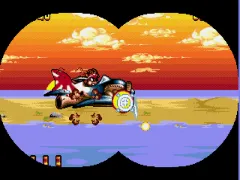
Zero the Kamikaze Squirrel (USA)
Zero the Kamikaze Squirrel
Getting to Know Zero the Kamikaze Squirrel
- SEGA Genesis
- Platformer
- 5· 0 votes
GAME INFO
- Platform
- SEGA Genesis
- Genre
- Platformer
- Publisher
- Sun Corporation
- Developer
- Acclaim Studios Austin
- Released
- 1994
- Players
- 1
- Region
- USA
How to play Zero the Kamikaze Squirrel online
CONTROLS
Controls
- Arrow Keys: D-Pad / Movement
- X: A button
- S: B button
- Z: C button
- A: X button (6-button pad)
- Q: Y button (6-button pad)
- E: Z button (6-button pad)
- Enter: Start / Mode
Zero the Kamikaze Squirrel FAQ
What makes Zero the Kamikaze Squirrel stand out among SEGA Genesis titles of its era?
It is one of the few games that takes a supporting villain and gives him a starring role. The gameplay borrows heavily from Aero the Acro-Bat but with a different visual style and level design.
Roughly how long does it take to finish Zero the Kamikaze Squirrel?
A typical playthrough lasts around two to three hours for experienced players. The game has several worlds with multiple stages each, and difficulty ramps up toward the end.
Can players save progress in Zero the Kamikaze Squirrel?
The game relies on a password system to record progress between sessions. Write down the code shown after completing a world to continue later.
You may also like
All SEGA Genesis games











GAME INFO
- Platform
- SEGA Genesis
- Genre
- Platformer
- Publisher
- Sun Corporation
- Developer
- Acclaim Studios Austin
- Released
- 1994
- Players
- 1
- Region
- USA
COMMENTS (0)
No comments yet. Be the first to share your thoughts.