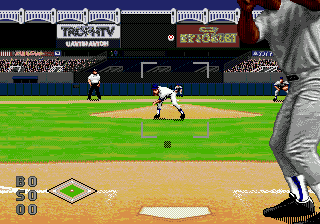
The game loads when you press Play · press “Play Now” inside the game if it asks.
World Series Baseball '98 (USA)
World Series Baseball '98
World Series Baseball '98 Overview
- SEGA Genesis
- Sports
- 5· 0 votes
GAME INFO
- Platform
- SEGA Genesis
- Genre
- Sports
- Developer
- BlueSky Software
- Released
- 1997
- Players
- 1-2
- Region
- USA
How to play World Series Baseball '98 online
Getting Started
When you first boot up, you will see a title screen. Press Enter to proceed. The main menu offers options like Exhibition, Season, or Options. Use the arrow keys to highlight your choice and press X (A button) to confirm. If you select Exhibition, you will then pick two teams from the available MLB squads. Use the arrow keys to scroll and confirm with X.
The core gameplay is turn-based: each batter and pitcher exchange. On the mound, choose your pitch type (fastball, curve, etc.) and location using the D-Pad and button presses. As a batter, watch the incoming pitch and time your swing with the B button (S key). Fielding is automatic except for outfield plays where you control the fielder's movement with the D-Pad and throw to bases with the appropriate button.
To get comfortable, start with an exhibition game on easy difficulty. Pay attention to the on-screen prompts for base running and substitutions. The game does not have extensive tutorials, so expect a short learning curve through trial and error. Remember that V acts as Select if you need to adjust settings in certain menus.
CONTROLS
Controls
- Arrow Keys: D-Pad / Movement
- X: A button
- S: B button
- Z: C button
- A: X button (6-button pad)
- Q: Y button (6-button pad)
- E: Z button (6-button pad)
- Enter: Start / Mode
World Series Baseball '98 FAQ
Is World Series Baseball '98 exclusive to SEGA Genesis or did it appear on other systems?
World Series Baseball '98 was released exclusively for the SEGA Genesis. It was not ported to other console or computer platforms.
Is World Series Baseball '98 considered easy to pick up or challenging?
The game is fairly easy to pick up due to its simple controls and clear on-screen cues. However, mastering pitch timing and batting can take some practice, giving it a moderate challenge for newcomers.
Who developed World Series Baseball '98?
World Series Baseball '98 was developed and published by SEGA. The company handled the internal development using its in-house sports game teams.
You may also like
All SEGA Genesis games











GAME INFO
- Platform
- SEGA Genesis
- Genre
- Sports
- Developer
- BlueSky Software
- Released
- 1997
- Players
- 1-2
- Region
- USA
COMMENTS (0)
No comments yet. Be the first to share your thoughts.