CHOOSE A VERSION
2 versions · same consoleChoose an original release, regional version, revision, bootleg or clearly labelled ROM hack/mod, then press Play. Hacks may change the gameplay. Switching versions restarts the player.
Selected: Default · USA · USA
The game loads when you press Play · press “Play Now” inside the game if it asks.
Whip Rush (USA)
Whip Rush
Inside Whip Rush
- SEGA Genesis
- Shooter
- 5· 0 votes
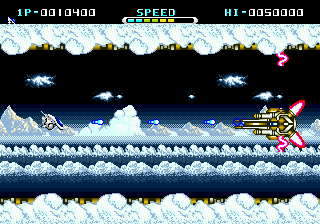
The core loop is simple: move your ship left and right, fire at incoming enemies, and dodge their attacks. Like many shooters of the era, you collect power-ups to upgrade your weaponry, and each stage ends with a boss fight that tests your reflexes. The unique twist here is the whip-like attack your ship can use, letting you strike enemies in multiple directions rather than just forward. The game sticks to the horizontal shoot-em-up formula, so expect tricky enemy patterns and a steady difficulty curve that rewards memorization.
Whip Rush is worth a look if you enjoy early Genesis shooters or want to see how Sega filled the system's launch window. It is not as polished or memorable as later entries like Gaiares or Thunder Force III, but it captures the arcade spirit faithfully. For fans of the genre, it is a solid piece of history that shows the Genesis trying to compete with the TurboGrafx-16's shooter library. Just know what you are getting into: a straightforward, challenging blast-fest with no frills.
GAME INFO
- Platform
- SEGA Genesis
- Genre
- Shooter
- Developer
- Tokai Communications
- Released
- 1990
- Players
- 1
- Region
- USA
How to play Whip Rush online
Getting started in Whip Rush is straightforward. Once you press Start on the title screen, you choose your game options (difficulty, lives, etc.) if any are presented, then begin stage one. Your ship automatically moves forward as you scroll horizontally - your main job is to control vertical position with the D-Pad and fire using the B button. The game throws waves of enemies at you, and you must shoot them while avoiding their bullets and collisions.
The whip weapon is your primary attack, and it can strike in several directions depending on how you aim. Power-ups appear from destroyed enemies or special carriers; collect them to upgrade your firepower or gain temporary shields. Each stage features a tough boss at the end. There is no complex story to follow - just survive, destroy, and reach the end. The difficulty ramps up quickly, so expect to die often and use continues to keep going. Learning enemy patterns is key.
CONTROLS
Controls
- Arrow Keys: D-Pad / Movement
- X: A button
- S: B button
- Z: C button
- A: X button (6-button pad)
- Q: Y button (6-button pad)
- E: Z button (6-button pad)
- Enter: Start / Mode
Whip Rush FAQ
Who developed Whip Rush?
Whip Rush was developed by Sega for the Genesis. The same team likely handled the early launch titles to build the console's library quickly.
What type of game is Whip Rush?
It is a horizontal side-scrolling shooter, heavily inspired by arcade games like R-Type. Players pilot a spaceship through alien-infested stages, collecting power-ups and fighting bosses.
Is Whip Rush considered easy to pick up or challenging?
The game leans toward the challenging side, typical of early Genesis shooters. Newcomers will die repeatedly during their first runs, but the short stages and continues mean persistence pays off.
You may also like
All SEGA Genesis games











GAME INFO
- Platform
- SEGA Genesis
- Genre
- Shooter
- Developer
- Tokai Communications
- Released
- 1990
- Players
- 1
- Region
- USA
COMMENTS (0)
No comments yet. Be the first to share your thoughts.