The game loads when you press Play · press “Play Now” inside the game if it asks.
Wacky Worlds Creativity Studio (USA)
Wacky Worlds Creativity Studio
Wacky Worlds Creativity Studio: Genesis Educational
- SEGA Genesis
- Educational
- 5· 0 votes
GAME INFO
- Platform
- SEGA Genesis
- Genre
- Educational
- Released
- 1994
- Players
- 1
- Region
- USA
How to play Wacky Worlds Creativity Studio online
Getting Started
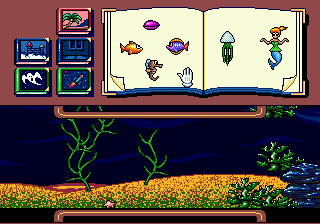
When you first fire up Wacky Worlds Creativity Studio, you'll be presented with a main menu offering options like 'Create' and 'Play.' Start by selecting 'Create' to enter the workshop. Here you'll find a blank scene along with a palette of stamps, backgrounds, and sound effects. Use the D-Pad to navigate the menus and the A button to select items. The core loop is simple: pick a stamp, place it on the canvas, and build up your world piece by piece.
Once you've arranged elements, you can animate them by assigning movement paths or adding sound effects tied to specific stamps. After finishing your creation, you can save it to the cartridge's memory (if battery-backed) or load a previous project to edit further. The 'Play' mode lets you watch your animation loop, showcasing your work like a mini cartoon. There's no scoring or failure - just experimentation. Experiment with layering stamps and timing sounds to make your scenes come alive.
CONTROLS
Controls
- Arrow Keys: D-Pad / Movement
- X: A button
- S: B button
- Z: C button
- A: X button (6-button pad)
- Q: Y button (6-button pad)
- E: Z button (6-button pad)
- Enter: Start / Mode
Wacky Worlds Creativity Studio FAQ
Roughly how long does it take to finish Wacky Worlds Creativity Studio?
Wacky Worlds Creativity Studio has no fixed ending or campaign length. It is an open-ended creativity tool where you can spend as little or as much time as you like designing scenes and animations. The only limit is your imagination and the available storage space for saved projects.
Is Wacky Worlds Creativity Studio exclusive to SEGA Genesis or did it appear on other systems?
It was released only for the Sega Genesis in North America. No ports to other consoles or computers were ever made, leaving it as a unique title in the Genesis library.
Does Wacky Worlds Creativity Studio have a multiplayer or co-op mode?
There is no multiplayer or co-op functionality. The game is strictly a single-player experience, though you can share your creations by letting someone else watch the playback.
You may also like
All SEGA Genesis games











GAME INFO
- Platform
- SEGA Genesis
- Genre
- Educational
- Released
- 1994
- Players
- 1
- Region
- USA
COMMENTS (0)
No comments yet. Be the first to share your thoughts.