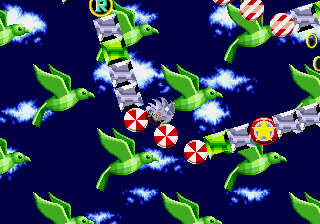
The game loads when you press Play · press “Play Now” inside the game if it asks.
Ultra Instinct Sonic The Hedgehog
Ultra Instinct Sonic The Hedgehog
What is Ultra Instinct Sonic The Hedgehog?
- SEGA Genesis
- Platformer
- ROM Hack
- 5· 0 votes
Unofficial ROM hack. The notes below come from community sources and have not been verified against the patch itself, so levels, mechanics and features may differ from what is described.
In gameplay terms, this hack modifies the original Sonic 1 ROM to introduce new mechanics inspired by the Ultra Instinct concept from Dragon Ball. The player controls Sonic as usual, running through familiar zones from the original game, but with altered physics and abilities. Specific details are not widely documented, but the mod likely involves a dodge or auto-dodge mechanic, increased speed, and possibly modified enemy behavior. The core loop remains the same: guide Sonic from the start of each level to the goalpost, collect rings, defeat enemies, and avoid obstacles.
For retro gaming enthusiasts who enjoy ROM hacks, Ultra Instinct Sonic the Hedgehog offers a fresh twist on a beloved classic. Its appeal lies in the crossover theme and the challenge of adapting to the new mechanics. It is a niche title, best suited for players who have already mastered the original and are looking for a different experience. While not as polished as official releases, it is a fun curiosity for fans of both Sonic and Dragon Ball mods.
GAME INFO
- Platform
- SEGA Genesis
- Genre
- Platformer
- Players
- 1
- Based on
- Sonic the Hedgehog
More Sonic the Hedgehog Games
Ready for another round? Explore more Sonic the Hedgehog games and console editions. Choose a game below to play it on its own page.






How to play Ultra Instinct Sonic The Hedgehog online
Getting Started
After loading the ROM in an emulator, press Enter to start the game. You control Sonic the Hedgehog through Green Hill Zone, the first level. The goal is to reach the end of the act by running right, jumping over pits, and defeating or avoiding enemies like Motobugs and Buzz Bombers. Collect rings for protection - losing all rings causes death if hit again.
The core loop is the same as the original Sonic 1: each zone has two acts followed by a boss fight with Dr. Robotnik. This hack introduces Ultra Instinct mechanics, which may be activated by pressing a certain button combination or automatically under specific conditions. If you are unfamiliar with the mod, experiment with the controls during gameplay to discover the new abilities. Menus are in English, so navigation is straightforward.
CONTROLS
Controls
- Arrow Keys: D-Pad / Movement
- X: A button
- S: B button
- Z: C button
- A: X button (6-button pad)
- Q: Y button (6-button pad)
- E: Z button (6-button pad)
- Enter: Start / Mode
Ultra Instinct Sonic The Hedgehog FAQ
Who developed Ultra Instinct Sonic the Hedgehog?
The developer of this ROM hack is not widely documented. It was created by an unknown fan as a modification of the original Sonic the Hedgehog game for the SEGA Genesis.
Is there anything iconic or memorable about Ultra Instinct Sonic the Hedgehog?
The hack is memorable for its fusion of Sonic gameplay with the Ultra Instinct concept from Dragon Ball. The altered mechanics and speed changes give a distinct feel compared to the original game.
Is Ultra Instinct Sonic the Hedgehog exclusive to SEGA Genesis or did it appear on other systems?
This hack is exclusive to the SEGA Genesis platform, as it is a ROM hack based on the original Sonic the Hedgehog cartridge. It has not been officially released on any other system.
You may also like
All SEGA Genesis games











GAME INFO
- Platform
- SEGA Genesis
- Genre
- Platformer
- Players
- 1
- Based on
- Sonic the Hedgehog
COMMENTS (0)
No comments yet. Be the first to share your thoughts.