CHOOSE A VERSION
3 versions · same consoleChoose an original release, regional version, revision, bootleg or clearly labelled ROM hack/mod, then press Play. Hacks may change the gameplay. Switching versions restarts the player.
Selected: Default · USA · USA
The game loads when you press Play · press “Play Now” inside the game if it asks.
Tommy Lasorda Baseball (USA)
Tommy Lasorda Baseball
Inside Tommy Lasorda Baseball
- SEGA Genesis
- Sports
- 5· 0 votes
GAME INFO
- Platform
- SEGA Genesis
- Genre
- Sports
- Released
- 1988
- Players
- 1-2
- Region
- USA
How to play Tommy Lasorda Baseball online
Getting Started
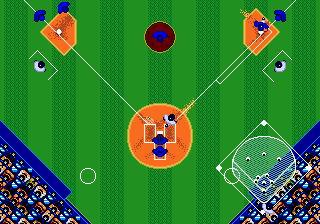
First, you choose a team from the 28 MLB clubs available. The game presents a menu where you select your team and optionally your opponent. Once you start a game, you control the pitcher by selecting pitch type and location, then try to get batters out. On offense, you time your swing to hit the ball and then control runners using the D-Pad and buttons to advance bases. The core loop is nine innings of standard baseball - pitch, hit, field, and try to score more runs than the other team.If you want to play a full season, the game includes a password system. After each game, a password is displayed that you can write down. Entering that password later will resume your season from that point. Roster management is minimal - you can substitute players using the pre-set 25-man roster. There are no advanced stat tracking or trading features. Just pick up and play baseball with the basics.
For new players, focus on learning the timing for hitting and the different pitch types. The computer AI is simple and predictable, making it a good introduction to Genesis sports games. If you miss a swing, don't worry - the game is forgiving and keeps the pace fast.
CONTROLS
Controls
- Arrow Keys: D-Pad / Movement
- X: A button
- S: B button
- Z: C button
- A: X button (6-button pad)
- Q: Y button (6-button pad)
- E: Z button (6-button pad)
- Enter: Start / Mode
Tommy Lasorda Baseball FAQ
Which regions was Tommy Lasorda Baseball released in?
Tommy Lasorda Baseball was released in the United States, as indicated by the '(USA)' in its title. It does not appear to have had a wide release in Japan or Europe.
Is Tommy Lasorda Baseball exclusive to SEGA Genesis or did it appear on other systems?
It appears to be exclusive to the SEGA Genesis. No ports to other consoles or personal computers are widely documented.
Is there anything iconic or memorable about Tommy Lasorda Baseball?
It is remembered as the first 16-bit era sports game, marking an early entry in the console sports gaming wars. The inclusion of actual MLB teams and Tommy Lasorda's endorsement gave it a real-world connection that was novel at the time.
You may also like
All SEGA Genesis games











GAME INFO
- Platform
- SEGA Genesis
- Genre
- Sports
- Released
- 1988
- Players
- 1-2
- Region
- USA
COMMENTS (0)
No comments yet. Be the first to share your thoughts.