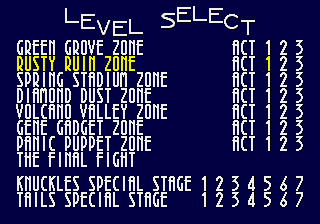
The game loads when you press Play · press “Play Now” inside the game if it asks.
Super Sonic in Sonic 3D
Super Sonic in Sonic 3D
About Super Sonic in Sonic 3D
- SEGA Genesis
- Platformer
- ROM Hack
- 5· 0 votes
Unofficial ROM hack. The notes below come from community sources and have not been verified against the patch itself, so levels, mechanics and features may differ from what is described.
GAME INFO
- Platform
- SEGA Genesis
- Genre
- Platformer
- Based on
- Sonic 3D Blast
More Sonic 3D Blast Games
Ready for another round? Explore more Sonic 3D Blast games and console editions. Choose a game below to play it on its own page.
How to play Super Sonic in Sonic 3D online
Getting Started
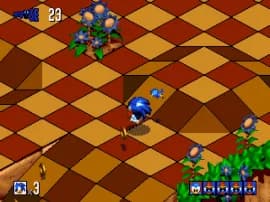
Super Sonic in Sonic 3D plays exactly like the original Sonic 3D Blast, but with Super Sonic replacing the standard character. From the title screen, press Start to begin. You move through isometric 3D stages collecting rings, freeing Flickies by defeating badniks, and reaching the goal ring at the end of each zone. Super Sonic remains in his golden invincible state throughout, meaning you cannot be hurt by common enemies or obstacles - but bottomless pits and time limits still apply.
The core loop involves exploring each stage to collect enough rings to open warp rings that warp you to bonus stages. In those bonus stages you earn chaos emeralds. The hack doesn't alter the level progression or bonus stage mechanics; it simply removes the need to gather rings for invincibility. New players should still watch for the timer and avoid pits. If you are familiar with Sonic 3D Blast, nothing else changes beyond the character sprites and the constant ring sparkle effect.
CONTROLS
Controls
- Arrow Keys: D-Pad / Movement
- X: A button
- S: B button
- Z: C button
- A: X button (6-button pad)
- Q: Y button (6-button pad)
- E: Z button (6-button pad)
- Enter: Start / Mode
Super Sonic in Sonic 3D FAQ
Can players save progress in Super Sonic in Sonic 3D?
The original Sonic 3D Blast includes a save feature using the cart battery, but this hack may not retain that functionality. Most emulated versions do not preserve saves unless you use save states. No widely documented changes to the save system exist for this hack.
Roughly how long does it take to finish Super Sonic in Sonic 3D?
Since the hack only alters the character and not the levels, completion time mirrors the original game. A typical playthrough takes around two to three hours for the main story, but speedrunners finish in under an hour. Exact time depends on skill and familiarity with the isometric perspective.
Is Super Sonic in Sonic 3D an official release, a fan hack, a prototype, or another kind of build?
This is a fan-made ROM hack, not an official Sega release or prototype. It modifies the existing Sonic 3D Blast ROM to replace the standard Sonic character with Super Sonic. No known commercial or prototype origin exists.
You may also like
All SEGA Genesis games











GAME INFO
- Platform
- SEGA Genesis
- Genre
- Platformer
- Based on
- Sonic 3D Blast
COMMENTS (0)
No comments yet. Be the first to share your thoughts.