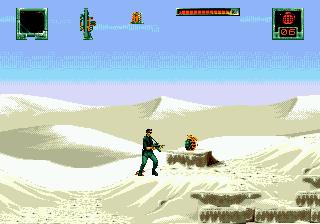
The game loads when you press Play · press “Play Now” inside the game if it asks.
Stargate (Europe) (Beta)
Stargate
Stargate Overview
- SEGA Genesis
- Action
- Beta
- 5· 0 votes
GAME INFO
- Platform
- SEGA Genesis
- Genre
- Action
- Released
- 1994
- Players
- 1
- Region
- Europe
- Version
- Beta
How to play Stargate online
Getting Started
Upon loading the beta, you will see a title screen. Press Enter (Start) to begin. Use the D-pad to move your character left and right through side-scrolling stages. Press X (A) to jump and S (B) to attack. The core loop involves moving forward, shooting or hitting enemies, and avoiding hazards until you reach the end of the level.
Since this is a beta build, do not expect a complete experience. Some levels may be broken or missing, and controls might feel rough. Experiment with the different buttons to see if any secondary actions are mapped. If menus appear, navigate with the D-pad and confirm with X.
There is no save feature, so progress is lost when you close the browser. Focus on exploring the available content to see how the game differed from the final release.
CONTROLS
Controls
- Arrow Keys: D-Pad / Movement
- X: A button
- S: B button
- Z: C button
- A: X button (6-button pad)
- Q: Y button (6-button pad)
- E: Z button (6-button pad)
- Enter: Start / Mode
Stargate FAQ
Can players save progress in Stargate?
Most Genesis games from this era did not have battery-backed saves, and Stargate is no exception. The beta likely lacks any save functionality, so expect to play through in one sitting or rely on level select codes if present.
Is there anything iconic or memorable about Stargate?
The game is based on the 1994 movie Stargate, which has a strong cult following. While the game itself is not widely celebrated, its connection to the film and the Egyptian-themed settings make it interesting for fans of the franchise.
What type of game is Stargate?
It is an action platformer where the player controls a character through side-scrolling stages. Combat involves shooting and jumping to overcome obstacles and enemies, with a focus on exploration and fighting.
You may also like
All SEGA Genesis games











GAME INFO
- Platform
- SEGA Genesis
- Genre
- Action
- Released
- 1994
- Players
- 1
- Region
- Europe
- Version
- Beta
COMMENTS (0)
No comments yet. Be the first to share your thoughts.