CHOOSE A VERSION
2 versions · same consoleChoose an original release, regional version, revision, bootleg or clearly labelled ROM hack/mod, then press Play. Hacks may change the gameplay. Switching versions restarts the player.
Selected: Default · Japan · Japan
The game loads when you press Play · press “Play Now” inside the game if it asks.
Sorcerian (Japan)
Sorcerian
Sorcerian: Genesis RPG
- SEGA Genesis
- RPG
- 5· 0 votes
GAME INFO
- Platform
- SEGA Genesis
- Genre
- RPG
- Publisher
- Nihon Falcom
- Developer
- G-Mode
- Released
- 1987
- Region
- Japan
How to play Sorcerian online
Getting Started
When the game boots, you will see a title screen in Japanese. Press Start to proceed to the main menu, where you can choose to begin a new game or continue from a save. The menu options are labeled in Japanese, so you may need to experiment: typically, the top option is "New Game" and the second is "Continue". Selecting New Game takes you to a party creation screen where you can name your characters and assign their classes (Fighter, Mage, Thief, etc.). You can create up to four characters, though you control only one at a time and can switch freely.
The core loop is simple: accept a quest from the guild in the starting town, then head out into the field and enter the dungeon. Combat is real-time - walk into enemies to attack, or use the B button for a quick strike. You can also jump over obstacles with the A button. As you defeat monsters, your characters gain experience and gold. Return to town to spend gold on equipment and to rest at the inn to restore health. Leveling up increases your stats, and you can distribute points manually after each level.
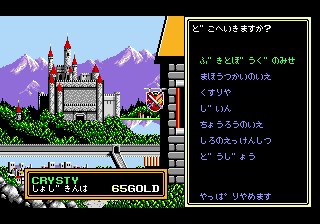
Since this is the Japanese version, all text is in Japanese. The interface uses a mix of kanji and hiragana, but the menus are fairly standard for an RPG of the era: the top bar typically shows your current character's name, HP, and MP, and the bottom bar lists commands like "Attack", "Magic", "Item", and "Status". If you are unfamiliar with Japanese, you can still navigate by memorizing the order of commands. Saving is done at the guild or at certain save points in dungeons - look for a symbol that looks like a small house or a flag.
CONTROLS
Controls
- Arrow Keys: D-Pad / Movement
- X: A button
- S: B button
- Z: C button
- A: X button (6-button pad)
- Q: Y button (6-button pad)
- E: Z button (6-button pad)
- Enter: Start / Mode
Sorcerian FAQ
What makes Sorcerian stand out among SEGA Genesis titles of its era?
Sorcerian is an action RPG with a strong emphasis on party management and character customization, allowing players to build a team of different classes and switch between them in real-time. Its mission-based structure, where each quest is a self-contained dungeon, was uncommon on the Genesis and provided a focused, linear progression that contrasted with more open-ended RPGs of the time.
In what year was Sorcerian originally released?
The original version of Sorcerian was released in 1987 on Japanese home computers by Nihon Falcom. The exact release year of the SEGA Genesis port is not widely documented, but the game itself dates back to the late 1980s.
Does Sorcerian have a multiplayer or co-op mode?
Sorcerian is a single-player experience. Although you control a party of multiple characters, only one player can play at a time. The game does not include any cooperative or versus multiplayer modes.
You may also like
All SEGA Genesis games











GAME INFO
- Platform
- SEGA Genesis
- Genre
- RPG
- Publisher
- Nihon Falcom
- Developer
- G-Mode
- Released
- 1987
- Region
- Japan
COMMENTS (0)
No comments yet. Be the first to share your thoughts.