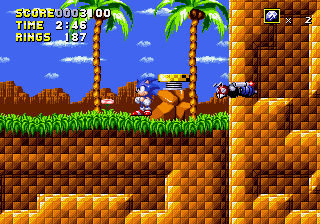
The game loads when you press Play · press “Play Now” inside the game if it asks.
Sonic Virtual Adventure
Sonic Virtual Adventure
About Sonic Virtual Adventure
- SEGA Genesis
- Platformer
- Demo
- 5· 0 votes
GAME INFO
- Platform
- SEGA Genesis
- Genre
- Platformer
- Version
- SHC 2016 Demo
- Based on
- Sonic the Hedgehog
More Sonic the Hedgehog Games
Ready for another round? Explore more Sonic the Hedgehog games and console editions. Choose a game below to play it on its own page.






How to play Sonic Virtual Adventure online
Getting started is straightforward. When the SEGA logo appears, press Enter to skip it. You'll be taken to a simple title screen - if there's a menu, use arrow keys to navigate and press Enter to start the demo. The game begins immediately with Sonic in a 2D level.
To move Sonic, use the Arrow Keys. Press X to jump - hold it for a higher leap. While airborne, press the arrow keys to air steer a bit. Use S to spin dash (hold down on d-pad, then press S). Touching enemies from the side hurts you, so spin into them (press down while moving, or use jump + S). Collect rings for protection; losing all ends the run. The demo is short - just reach the act goal marker to finish.
Since this is a demo, there's no save system. You'll start from the beginning each time. Expect a single act with basic obstacles and a few enemies. If the demo includes a level select, it's not documented - stick with the main start. The game is in English, so no language barriers.
CONTROLS
Controls
- Arrow Keys: D-Pad / Movement
- X: A button
- S: B button
- Z: C button
- A: X button (6-button pad)
- Q: Y button (6-button pad)
- E: Z button (6-button pad)
- Enter: Start / Mode
Sonic Virtual Adventure FAQ
Who developed Sonic Virtual Adventure?
The demo was presented during the 2016 Sonic Hacking Contest, but the specific developer or team behind it is not widely documented. It was likely created by a member of the Sonic ROM hacking community as an entry for that event.
What type of game is Sonic Virtual Adventure?
It's a platformer demo - a short, playable build of a fan-made Sonic game for the SEGA Genesis. The core gameplay involves running and jumping through a single level, collecting rings, and defeating enemies in the classic Sonic style.
Can players save progress in Sonic Virtual Adventure?
No, there is no save feature. This is a brief demo meant to be completed in one sitting, and any progress is lost when the console is turned off or the emulator session ends.
You may also like
All SEGA Genesis games











GAME INFO
- Platform
- SEGA Genesis
- Genre
- Platformer
- Version
- SHC 2016 Demo
- Based on
- Sonic the Hedgehog
COMMENTS (0)
No comments yet. Be the first to share your thoughts.