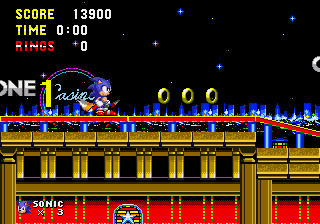
The game loads when you press Play · press “Play Now” inside the game if it asks.
Sonic The Hedgehog 4
Sonic The Hedgehog 4
What is Sonic The Hedgehog 4?
- SEGA Genesis
- Platformer
- Fan Game
- 5· 0 votes
Unofficial fan game. The notes below come from community sources and have not been verified against the patch itself, so levels, mechanics and features may differ from what is described.
GAME INFO
- Platform
- SEGA Genesis
- Genre
- Platformer
More Sonic The Hedgehog Games
Ready for another round? Explore more Sonic The Hedgehog games and console editions. Choose a game below to play it on its own page.






How to play Sonic The Hedgehog 4 online
Getting Started
When you boot up Sonic the Hedgehog 4, you'll likely see a title screen with a menu. Use the D-Pad to highlight options and press the A button (X key) to confirm. If the game offers a character select, pick Sonic for a standard run or Tails if you want to fly over gaps. Then choose a level from the stage select - or just start from the beginning if a zone order is fixed. The game may display the controls on the title screen, but the default mapping above should work.
Once you're in a level, the goal is to reach the end of each act. Hold right on the D-Pad to move forward, press the B button (S key) to jump on enemies and break item boxes. The spin dash is performed by holding down on the D-Pad and repeatedly tapping the jump button. Use the momentum to zip through loops and avoid traps. If you take damage while you have at least one ring, the rings scatter - you can recollect a few if you're quick, but you'll be vulnerable briefly.
Watch out for bottomless pits and spikes. Each zone has two acts, and after the second act you'll face a boss - usually Dr. Eggman in one of his machines. Bounce on his head or hit his weak point to defeat him. If you lose all your lives, you get a game over and have to start from the beginning of that zone. There are no continues in most fan games, so save your rings and avoid unnecessary risks.
CONTROLS
Controls
- Arrow Keys: D-Pad / Movement
- X: A button
- S: B button
- Z: C button
- A: X button (6-button pad)
- Q: Y button (6-button pad)
- E: Z button (6-button pad)
- Enter: Start / Mode
Sonic The Hedgehog 4 FAQ
Does Sonic The Hedgehog 4 have a multiplayer or co-op mode?
No, this is a single-player game only. You cannot play with another person simultaneously, and there is no versus mode. It's strictly a solo experience, just like the original Genesis Sonic titles.
What makes Sonic The Hedgehog 4 stand out among SEGA Genesis titles of its era?
Since it's a fan-made game rather than an official release, its real draw is that it offers a completely new set of levels designed by enthusiasts for the classic engine. It's a rare example of a community-made sequel that tries to extend the original trilogy's style without any commercial constraints.
Is Sonic The Hedgehog 4 considered easy to pick up or challenging?
The difficulty mirrors the official Genesis games - early zones are forgiving, but later levels demand precise jumps and quick reactions. Certain sections can feel unfair due to unpolished hit detection or obscure level design, so it's not as tightly balanced as the originals. Overall, expect a moderate challenge with a few frustrating spikes.
You may also like
All SEGA Genesis games











GAME INFO
- Platform
- SEGA Genesis
- Genre
- Platformer
COMMENTS (0)
No comments yet. Be the first to share your thoughts.