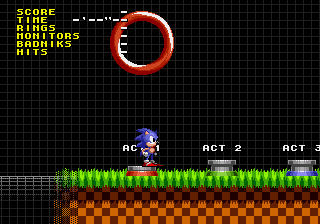
The game loads when you press Play · press “Play Now” inside the game if it asks.
Sonic the Hedgehog 1 @ SAGE 2010
Sonic the Hedgehog 1 @ SAGE 2010
Sonic the Hedgehog 1 @ SAGE 2010: Genesis Platformer
- SEGA Genesis
- Platformer
- Fan Game
- 5· 0 votes
Unofficial fan game. The notes below come from community sources and have not been verified against the patch itself, so levels, mechanics and features may differ from what is described.
GAME INFO
- Platform
- SEGA Genesis
- Genre
- Platformer
- Released
- 2010
- Players
- 1
- Version
- SAGE 2010
- Based on
- Sonic the Hedgehog
- Made by
- Vidi Gaming
More Sonic the Hedgehog Games
Ready for another round? Explore more Sonic the Hedgehog games and console editions. Choose a game below to play it on its own page.






How to play Sonic the Hedgehog 1 @ SAGE 2010 online
CONTROLS
Controls
- Arrow Keys: D-Pad / Movement
- X: A button
- S: B button
- Z: C button
- A: X button (6-button pad)
- Q: Y button (6-button pad)
- E: Z button (6-button pad)
- Enter: Start / Mode
Sonic the Hedgehog 1 @ SAGE 2010 FAQ
Is Sonic the Hedgehog 1 @ SAGE 2010 considered easy to pick up or challenging?
It's roughly as straightforward as the original Sonic 1 in terms of level design, but the physics changes make it feel a bit different. The tighter controls can make precise platforming easier, while the higher speed might catch you off guard early on. Overall it's accessible to newcomers but still offers the same challenge of avoiding pits and enemies.
What makes Sonic the Hedgehog 1 @ SAGE 2010 stand out among SEGA Genesis titles of its era?
It's a homebrew remake that fuses the classic level layouts of Sonic 1 with the physics and graphical style of the Sonic Advance series. This blend gives a fresh feel to a nearly twenty-year-old game, and it's one of the more polished fan projects from the SAGE 2010 lineup.
Does Sonic the Hedgehog 1 @ SAGE 2010 have a multiplayer or co-op mode?
No, it is a single-player only experience. There are no multiplayer options or versus modes included in this build.
You may also like
All SEGA Genesis games











GAME INFO
- Platform
- SEGA Genesis
- Genre
- Platformer
- Released
- 2010
- Players
- 1
- Version
- SAGE 2010
- Based on
- Sonic the Hedgehog
- Made by
- Vidi Gaming
COMMENTS (0)
No comments yet. Be the first to share your thoughts.