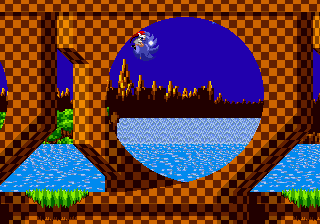
The game loads when you press Play · press “Play Now” inside the game if it asks.
Sonic FreeFall
Sonic FreeFall
About Sonic FreeFall
- SEGA Genesis
- Platformer
- ROM Hack
- 5· 0 votes
Unofficial ROM hack. The notes below come from community sources and have not been verified against the patch itself, so levels, mechanics and features may differ from what is described.
GAME INFO
- Platform
- SEGA Genesis
- Genre
- Platformer
- Players
- 1
How to play Sonic FreeFall online
Getting Started
When you load the game, you'll see a title screen indicating it's a Sonic FreeFall hack. Press Start to begin. The hack likely offers a single level or a short set of stages. Use the D-Pad to move Sonic left and right. Jump with the X button and use the spin dash by holding down and pressing X (or S depending on the hack). The core goal is to reach the end of the level while collecting rings and avoiding hazards.
Pay attention to falling sections - you may need to steer Sonic in midair to land on platforms. Unlike official games, checkpoints and saves are usually absent in these hacks, so you'll need to complete the run in one sitting. If the hack includes menus, they are typically in English. Use the arrow keys to navigate and confirm with X, cancel with S.
Experiment with the controls to get a feel for the modified physics. Some hacks remap the spin dash to the B button. If you're stuck, try different button combinations - many homebrew projects keep the classic Sonic control scheme intact but may tweak movement values.
CONTROLS
Controls
- Arrow Keys: D-Pad / Movement
- X: A button
- S: B button
- Z: C button
- A: X button (6-button pad)
- Q: Y button (6-button pad)
- E: Z button (6-button pad)
- Enter: Start / Mode
Sonic FreeFall FAQ
Who developed Sonic FreeFall?
The exact developer is not widely documented. The hack was likely created by a member of the Sonic Hacking Contest community, but the specific author's name has not been publicly attributed outside contest entries.
Can players save progress in Sonic FreeFall?
Saving is not available in this hack. Like many Genesis ROM hacks, it is designed to be completed in a single playthrough with no battery-backed save or password system.
What makes Sonic FreeFall stand out among SEGA Genesis titles of its era?
It introduces a freefall mechanic that changes how players navigate levels, focusing on vertical movement rather than the standard horizontal run. This gives the familiar Sonic engine a fresh challenge, though it remains a small fan project rather than a commercial release.
You may also like
All SEGA Genesis games











GAME INFO
- Platform
- SEGA Genesis
- Genre
- Platformer
- Players
- 1
COMMENTS (0)
No comments yet. Be the first to share your thoughts.