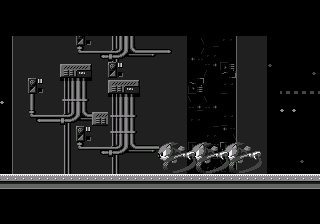
The game loads when you press Play · press “Play Now” inside the game if it asks.
Sonic ERaZor 7
Sonic ERaZor 7
Inside Sonic ERaZor 7
- SEGA Genesis
- Platformer
- ROM Hack
- 5· 0 votes
Unofficial ROM hack. The notes below come from community sources and have not been verified against the patch itself, so levels, mechanics and features may differ from what is described.
GAME INFO
- Platform
- SEGA Genesis
- Genre
- Platformer
- Based on
- Sonic the Hedgehog 2
More Sonic the Hedgehog Games
Ready for another round? Explore more Sonic the Hedgehog games and console editions. Choose a game below to play it on its own page.






How to play Sonic ERaZor 7 online
CONTROLS
Controls
- Arrow Keys: D-Pad / Movement
- X: A button
- S: B button
- Z: C button
- A: X button (6-button pad)
- Q: Y button (6-button pad)
- E: Z button (6-button pad)
- Enter: Start / Mode
Sonic ERaZor 7 FAQ
Who developed Sonic ERaZor 7?
The exact developer is not widely documented, though the hack is commonly attributed to a user going by the handle Sonic ERaZor. The precise identity behind that name remains unknown.
Is there anything iconic or memorable about Sonic ERaZor 7?
It is infamous for its brutally unfair level design, filled with instant-death traps and scarce rings. Many retro gaming communities still discuss it as a prime example of a frustrating ROM hack.
Can players save progress in Sonic ERaZor 7?
No built-in save feature exists, as the hack inherits the structure of Sonic the Hedgehog 2 which had no saves. To continue progress, use emulator save states or play through in one sitting.
You may also like
All SEGA Genesis games











GAME INFO
- Platform
- SEGA Genesis
- Genre
- Platformer
- Based on
- Sonic the Hedgehog 2
COMMENTS (0)
No comments yet. Be the first to share your thoughts.