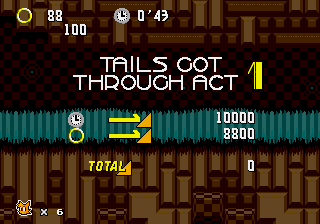
The game loads when you press Play · press “Play Now” inside the game if it asks.
Sonic 2 Turbo
Sonic 2 Turbo
Sonic 2 Turbo: Genesis Platformer
- SEGA Genesis
- Platformer
- ROM Hack
- 5· 0 votes
Unofficial ROM hack. The notes below come from community sources and have not been verified against the patch itself, so levels, mechanics and features may differ from what is described.
GAME INFO
- Platform
- SEGA Genesis
- Genre
- Platformer
- Players
- 1
- Version
- Turbo
- Based on
- Sonic the Hedgehog 2
More Sonic the Hedgehog Games
Ready for another round? Explore more Sonic the Hedgehog games and console editions. Choose a game below to play it on its own page.






How to play Sonic 2 Turbo online
CONTROLS
Controls
- Arrow Keys: D-Pad / Movement
- X: A button
- S: B button
- Z: C button
- A: X button (6-button pad)
- Q: Y button (6-button pad)
- E: Z button (6-button pad)
- Enter: Start / Mode
Sonic 2 Turbo FAQ
Who developed Sonic 2 Turbo?
The creator of this hack is not widely documented and appears to be an anonymous member of the retro modding scene. No official credit is available beyond the title.
Is Sonic 2 Turbo exclusive to SEGA Genesis or did it appear on other systems?
This modification was built from the original Genesis ROM and is intended for play on SEGA Genesis hardware or emulators. It never received a commercial release on any other platform.
Does Sonic 2 Turbo have a multiplayer or co-op mode?
The hack is based on Sonic the Hedgehog 2 which does include a two-player race mode, but it is not confirmed whether this modification preserves or alters that feature. Most documentation suggests single-player focus.
You may also like
All SEGA Genesis games











GAME INFO
- Platform
- SEGA Genesis
- Genre
- Platformer
- Players
- 1
- Version
- Turbo
- Based on
- Sonic the Hedgehog 2
COMMENTS (0)
No comments yet. Be the first to share your thoughts.