The game loads when you press Play · press “Play Now” inside the game if it asks.
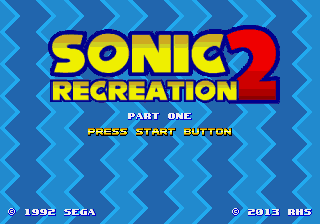
Sonic 2 Recreation Part One
Sonic 2 Recreation Part One
Sonic 2 Recreation Part One - Platformer Classic
- SEGA Genesis
- Platformer
- ROM Hack
- 5· 0 votes
Unofficial ROM hack. The notes below come from community sources and have not been verified against the patch itself, so levels, mechanics and features may differ from what is described.
GAME INFO
- Platform
- SEGA Genesis
- Genre
- Platformer
- Players
- 1
- Version
- Part One
- Based on
- Sonic the Hedgehog 2
More Sonic the Hedgehog Games
Ready for another round? Explore more Sonic the Hedgehog games and console editions. Choose a game below to play it on its own page.






How to play Sonic 2 Recreation Part One online
CONTROLS
Controls
- Arrow Keys: D-Pad / Movement
- X: A button
- S: B button
- Z: C button
- A: X button (6-button pad)
- Q: Y button (6-button pad)
- E: Z button (6-button pad)
- Enter: Start / Mode
Sonic 2 Recreation Part One FAQ
Who developed Sonic 2 Recreation Part One?
The developer is not widely documented; it appears to be an anonymous fan project released online without a credited author.
Which regions was Sonic 2 Recreation Part One released in?
As a fan-made ROM hack, it was distributed freely online and has no official regional release. The game text is in English by default.
Can players save progress in Sonic 2 Recreation Part One?
Most Genesis ROM hacks of this era lack a save feature, and this one is no exception. The original Sonic 2 used a password system, but this hack may or may not retain it; typically, you play through in one sitting.
You may also like
All SEGA Genesis games











GAME INFO
- Platform
- SEGA Genesis
- Genre
- Platformer
- Players
- 1
- Version
- Part One
- Based on
- Sonic the Hedgehog 2
COMMENTS (0)
No comments yet. Be the first to share your thoughts.