The game loads when you press Play · press “Play Now” inside the game if it asks.
Sonic 2 co-op Demo
Sonic 2 co-op Demo
About Sonic 2 co-op Demo
- SEGA Genesis
- Platformer
- Demo
- 5· 0 votes
GAME INFO
- Platform
- SEGA Genesis
- Genre
- Platformer
- Players
- 1-2
- Based on
- Sonic the Hedgehog 2
More Sonic the Hedgehog Games
Ready for another round? Explore more Sonic the Hedgehog games and console editions. Choose a game below to play it on its own page.






How to play Sonic 2 co-op Demo online
Getting Started
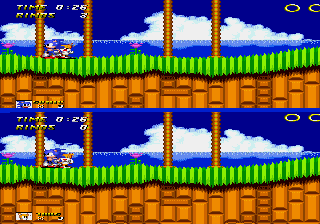
When you load the demo in your browser emulator, press Enter to start the game from the title screen. The title screen should indicate that it is a co-op demo; if there is a menu, use the D-Pad to select options and press the A button (X key) to confirm. The game likely starts you in a level with two characters already active - player one controls Sonic and player two controls Tails, both on screen simultaneously.
Your goal is to reach the end of the zone without losing all your rings and lives. Both players share the same screen, so staying near each other is important to keep the camera centered. One player can die but the other can continue; if both die the level restarts. Collect rings for protection and use your spin attack (B button / S key) to defeat enemies. Watch for special item boxes to gain speed shoes, invincibility, or extra rings.
Because this is a demo, the level selection may be limited and some hidden paths or mechanics from the original Sonic 2 might not work exactly as expected. If you get stuck, try having one player jump onto the other's head to reach higher platforms - a trick that works in many co‑op Genesis hacks. The demo is short, so experiment freely and enjoy the novelty of playing Sonic 2 alongside a friend in the same room.
CONTROLS
Controls
- Arrow Keys: D-Pad / Movement
- X: A button
- S: B button
- Z: C button
- A: X button (6-button pad)
- Q: Y button (6-button pad)
- E: Z button (6-button pad)
- Enter: Start / Mode
Sonic 2 co-op Demo FAQ
Is Sonic 2 co-op Demo exclusive to SEGA Genesis or did it appear on other systems?
This demo was built specifically for the SEGA Genesis and was never ported to other platforms. The ROM file is designed to run on original Genesis hardware or emulators.
In what year was Sonic 2 co-op Demo originally released?
The exact release year is not widely documented, but it was likely created for a homebrew contest around 2023 based on the source URL context. An official public release date was not recorded.
Roughly how long does it take to finish Sonic 2 co-op Demo?
Because it is a demo with only a few acts, most players can finish the available content in about 10 to 20 minutes. The length is comparable to a single zone from the original Sonic 2.
You may also like
All SEGA Genesis games











GAME INFO
- Platform
- SEGA Genesis
- Genre
- Platformer
- Players
- 1-2
- Based on
- Sonic the Hedgehog 2
COMMENTS (0)
No comments yet. Be the first to share your thoughts.