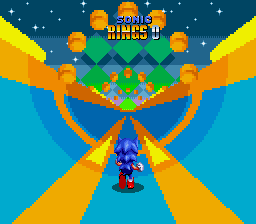
The game loads when you press Play · press “Play Now” inside the game if it asks.
Sonic 2 - Anniversary Edition
Sonic 2 - Anniversary Edition
Sonic 2 - Anniversary Edition Overview
- SEGA Genesis
- Platformer
- Fan Game
- 5· 0 votes
Unofficial fan game. The notes below come from community sources and have not been verified against the patch itself, so levels, mechanics and features may differ from what is described.
GAME INFO
- Platform
- SEGA Genesis
- Genre
- Platformer
- Players
- 1-2
- Version
- Anniversary Edition
- Based on
- Sonic the Hedgehog 2
More Sonic the Hedgehog Games
Ready for another round? Explore more Sonic the Hedgehog games and console editions. Choose a game below to play it on its own page.






How to play Sonic 2 - Anniversary Edition online
Getting Started
When you first load Sonic 2 - Anniversary Edition, you will see the title screen. Press Enter to start. The game may present a modified level select or simply begin from Emerald Hill Zone. Your goal is to reach the end of each act, collect as many rings as possible, and defeat Dr. Eggman at the end of each zone.
The core loop is straightforward: run right while dodging badniks, collecting rings, and using the spin dash (press down then jump) to build speed. If you are playing as Sonic alone, Tails follows as an AI partner. In two-player mode, a second player can join using a split-screen race. Watch out for pitfalls and spikes - rings act as a buffer, but losing all rings means a hit costs a life.
There is no save feature in the original game, but this anniversary edition might include a code or password system. If menus appear in English, you can navigate with Arrow Keys and confirm with X. If you get stuck, the game is generally forgiving and encourages repeated attempts to memorize obstacle patterns.
CONTROLS
Controls
- Arrow Keys: D-Pad / Movement
- X: A button
- S: B button
- Z: C button
- A: X button (6-button pad)
- Q: Y button (6-button pad)
- E: Z button (6-button pad)
- Enter: Start / Mode
Sonic 2 - Anniversary Edition FAQ
Can players save progress in Sonic 2 - Anniversary Edition?
The original Sonic 2 lacked a save feature, relying on level select codes. This fan edition may include a similar password system or even a save state through the emulator, but that is not part of the ROM itself.
Which regions was Sonic 2 - Anniversary Edition released in?
As a fan-made modification, it was not released commercially in any region. It exists as a digital ROM patch shared online, primarily in English-speaking communities.
Is there anything iconic or memorable about Sonic 2 - Anniversary Edition?
It builds on the iconic Sonic 2 experience, a game famous for its speed, music, and two-player competition. This edition might add features like playable Knuckles or rearranged levels, making it a notable fan tribute.
You may also like
All SEGA Genesis games











GAME INFO
- Platform
- SEGA Genesis
- Genre
- Platformer
- Players
- 1-2
- Version
- Anniversary Edition
- Based on
- Sonic the Hedgehog 2
COMMENTS (0)
No comments yet. Be the first to share your thoughts.