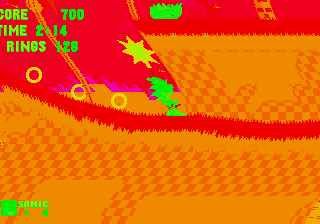
The game loads when you press Play · press “Play Now” inside the game if it asks.
Sonic 1 - The Ring Ride 2
Sonic 1 - The Ring Ride 2
Sonic 1 - The Ring Ride 2 - Platformer Classic
- SEGA Genesis
- Platformer
- ROM Hack
- 5· 0 votes
Unofficial ROM hack. The notes below come from community sources and have not been verified against the patch itself, so levels, mechanics and features may differ from what is described.
GAME INFO
- Platform
- SEGA Genesis
- Genre
- Platformer
- Based on
- Sonic the Hedgehog
More Sonic the Hedgehog Games
Ready for another round? Explore more Sonic the Hedgehog games and console editions. Choose a game below to play it on its own page.






How to play Sonic 1 - The Ring Ride 2 online
Getting started is straightforward - this is a Sonic hack, so you just boot it up and press Enter to start. The title screen may or may not have a menu; usually hacks skip to the first level immediately. Move with Arrow Keys, jump with X, and spin-dash by holding down then pressing jump. The whole game is about collecting rings and avoiding enemies - lose all rings and you get hit, lose a life with zero rings. Newcomers should note that this hack may have altered ring behavior, like rings not bouncing or different ring counts per enemy. Explore each act thoroughly to find the giant ring that leads to a bonus stage. If you get stuck, remember that most hacks use the same engine as the original, so classic Sonic strategies apply.
CONTROLS
Controls
- Arrow Keys: D-Pad / Movement
- X: A button
- S: B button
- Z: C button
- A: X button (6-button pad)
- Q: Y button (6-button pad)
- E: Z button (6-button pad)
- Enter: Start / Mode
Sonic 1 - The Ring Ride 2 FAQ
Who developed Sonic 1 - The Ring Ride 2?
The developer is not widely documented. Like many Genesis ROM hacks, it was created by an anonymous fan or small group and spread through the modding community without official credits.
In what year was Sonic 1 - The Ring Ride 2 originally released?
The exact release year is not widely recorded. Most Sonic 1 hacks of this type appeared in the early 2000s to 2010s, but no precise date has been established.
Is there anything iconic or memorable about Sonic 1 - The Ring Ride 2?
Its focus on ring-based gameplay sets it apart from other Sonic 1 hacks. The modified ring mechanics create a different challenge, making it a curious footnote in the fan-hack scene.
You may also like
All SEGA Genesis games











GAME INFO
- Platform
- SEGA Genesis
- Genre
- Platformer
- Based on
- Sonic the Hedgehog
COMMENTS (0)
No comments yet. Be the first to share your thoughts.