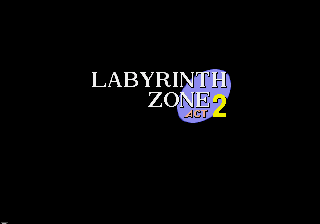
The game loads when you press Play · press “Play Now” inside the game if it asks.
Sonic 1 - Point & Click Edition (By Nat The Porcupine)
Sonic 1 - Point & Click Edition
What is Sonic 1 - Point & Click Edition?
- SEGA Genesis
- Adventure
- ROM Hack
- 5· 0 votes
Unofficial ROM hack. The notes below come from community sources and have not been verified against the patch itself, so levels, mechanics and features may differ from what is described.
Sonic 1 - Point & Click Edition is a fan-made hack of the original Sega Genesis classic, created by Nat The Porcupine for the 2020 Sonic Hacking Contest. Instead of running and jumping through zones, this modification reimagines the game as a point-and-click adventure, running on the same 16-bit hardware. It's a complete genre shift from the original platformer, trading momentum-based action for cursor-driven exploration and puzzle solving.
The player navigates through familiar Green Hill Zone locations by clicking on the environment, interacting with objects, and using items from an inventory. The core loop involves examining your surroundings, talking to characters, and figuring out how to progress by combining or applying items. While the visual style stays close to Sonic 1's sprite work, the gameplay is entirely driven by mouse or keyboard cursor input, not the D-pad.
If you enjoy seeing how classic games get recontextualized through rom hacking, this is a fascinating curio. It's not a full-length adventure - more of a proof-of-concept that shows what the Genesis can do when you strip away the speed and add a pointer. Worth a look for anyone interested in the breadth of Sonic fan creations, but don't expect a polished point-and-click experience on par with PC games of the era.
The player navigates through familiar Green Hill Zone locations by clicking on the environment, interacting with objects, and using items from an inventory. The core loop involves examining your surroundings, talking to characters, and figuring out how to progress by combining or applying items. While the visual style stays close to Sonic 1's sprite work, the gameplay is entirely driven by mouse or keyboard cursor input, not the D-pad.
If you enjoy seeing how classic games get recontextualized through rom hacking, this is a fascinating curio. It's not a full-length adventure - more of a proof-of-concept that shows what the Genesis can do when you strip away the speed and add a pointer. Worth a look for anyone interested in the breadth of Sonic fan creations, but don't expect a polished point-and-click experience on par with PC games of the era.
GAME INFO
- Platform
- SEGA Genesis
- Genre
- Adventure
- Players
- 1
- Based on
- Sonic the Hedgehog
- Made by
- Nat The Porcupine
More Sonic the Hedgehog Games
Ready for another round? Explore more Sonic the Hedgehog games and console editions. Choose a game below to play it on its own page.






How to play Sonic 1 - Point & Click Edition online
Getting Started
Launch the game and you'll see the familiar Sonic 1 title screen, but once inside, the controls have changed entirely. Move the cursor with the arrow keys and press X (A button) to click on objects or areas. The game expects you to explore each screen carefully - try clicking on rings, rocks, loops, and characters to see what happens.
The goal is to collect a set number of rings and then use them to unlock the path to the end of the act. Pay attention to visual hints like sparkling spots or items that stand out. If you get stuck, cycle through every clickable object in the scene. There are no lives or time pressure, so take your time experimenting.
Remember: this is a hack, so don't expect a huge game. The entire experience lasts maybe ten minutes. If the cursor doesn't appear, try pressing V (Select) to toggle a mouse pointer display on some emulators.
CONTROLS
Controls
- Arrow Keys: D-Pad / Movement
- X: A button
- S: B button
- Z: C button
- A: X button (6-button pad)
- Q: Y button (6-button pad)
- E: Z button (6-button pad)
- Enter: Start / Mode
You may also like
All SEGA Genesis games











GAME INFO
- Platform
- SEGA Genesis
- Genre
- Adventure
- Players
- 1
- Based on
- Sonic the Hedgehog
- Made by
- Nat The Porcupine
COMMENTS (0)
No comments yet. Be the first to share your thoughts.