The game loads when you press Play · press “Play Now” inside the game if it asks.
Sonic 1 - 50Hz = 60Hz (240p Edition)
Sonic 1 - 50Hz = 60Hz
Sonic 1 - 50Hz = 60Hz: Genesis Platformer
- SEGA Genesis
- Platformer
- ROM Hack
- 5· 0 votes
Unofficial ROM hack. The notes below come from community sources and have not been verified against the patch itself, so levels, mechanics and features may differ from what is described.
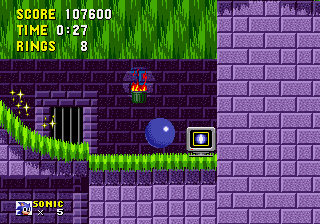
The gameplay is identical to Sonic the Hedgehog: you control Sonic through six zones, each with three acts. You run from left to right, collecting rings, avoiding spikes, and defeating Dr. Robotnik's badniks by jumping on them or using a spin dash. At the end of each act you hit a goalpost; at the end of the third act you face a boss fight against Robotnik in one of his machines. The core loop is fast platforming with multiple routes and hidden bonus stages triggered by passing checkpoints with at least 50 rings.
This hack is worth trying if you are a fan of the original but grew frustrated with PAL versions that ran slower. It provides the proper 60Hz speed without the need for a Japanese or NTSC cartridge, and the 240p output can improve image quality on modern displays via upscalers. It is a niche modification rather than a full reimagining, so it appeals most to players who want the classic Sonic experience with technical fixes.
GAME INFO
- Platform
- SEGA Genesis
- Genre
- Platformer
- Players
- 1
- Version
- 240p Edition
- Based on
- Sonic the Hedgehog
More Sonic the Hedgehog Games
Ready for another round? Explore more Sonic the Hedgehog games and console editions. Choose a game below to play it on its own page.






How to play Sonic 1 - 50Hz = 60Hz online
Getting Started
When you start the game, you are greeted with the title screen. Press Start to begin. You will start in Green Hill Zone Act 1. Move right using the D-Pad and press the X button (A) to jump. To spin dash, hold down on the D-Pad while standing still, then press S (B) to charge and release to shoot forward. Your goal is to reach the end of each act while collecting rings to stay alive.
The core loop is simple: run, jump on enemies, avoid hazards, collect rings. If you get hit while holding rings, you drop them all; if you get hit with zero rings you lose a life. There are checkpoints shaped like star posts. Passing one with at least 50 rings opens a giant ring that leads to a bonus stage for extra lives. At the end of each zone, you fight Dr. Robotnik in a boss battle. The game ends after you clear Scrap Brain Zone and defeat the final boss in Act 3.
CONTROLS
Controls
- Arrow Keys: D-Pad / Movement
- X: A button
- S: B button
- Z: C button
- A: X button (6-button pad)
- Q: Y button (6-button pad)
- E: Z button (6-button pad)
- Enter: Start / Mode
Sonic 1 - 50Hz = 60Hz FAQ
Who developed Sonic 1 - 50Hz = 60Hz?
The developer is not widely documented; it is a ROM hack likely created by a member of the Sonic Hacking Contest community. The trusted catalog entry from shc.zone does not list a specific author name.
Roughly how long does it take to finish Sonic 1 - 50Hz = 60Hz?
A typical playthrough of Sonic the Hedgehog takes about one to two hours for the main game. This hack retains the same level count and structure, so the length is essentially the same.
Does Sonic 1 - 50Hz = 60Hz have a multiplayer or co-op mode?
No, this hack does not add any multiplayer or co-op functionality. It is a single-player experience identical to the original Sonic the Hedgehog in that regard.
You may also like
All SEGA Genesis games











GAME INFO
- Platform
- SEGA Genesis
- Genre
- Platformer
- Players
- 1
- Version
- 240p Edition
- Based on
- Sonic the Hedgehog
COMMENTS (0)
No comments yet. Be the first to share your thoughts.