CHOOSE A VERSION
2 versions · same consoleChoose an original release, regional version, revision, bootleg or clearly labelled ROM hack/mod, then press Play. Hacks may change the gameplay. Switching versions restarts the player.
Selected: Default · USA · USA
The game loads when you press Play · press “Play Now” inside the game if it asks.
Quad Challenge (USA)
Quad Challenge
What is Quad Challenge?
- SEGA Genesis
- Racing
- 5· 0 votes
Quad Challenge is a racing game released for the Sega Genesis in 1992 in the United States. It puts players behind the handlebars of an all-terrain vehicle (ATV) and pits them against computer-controlled opponents or a second player in head-to-head competition. The game was published by Sega and fits squarely into the early-90s arcade racing trend on the console.
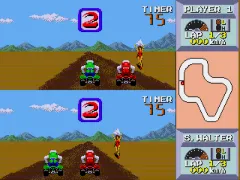
In Quad Challenge you select a track and race against three other riders. The view is from behind your quad, with the track scrolling as you accelerate and steer. Your goal is to finish among the top positions to qualify for the next course. The game uses a simple control scheme: accelerate, brake, and steer left or right. There are no weapon pickups or complex mechanics, just straightforward racing with a focus on tight cornering and avoiding crashes.
Compared to other Genesis racers like Road Rash or Super Hang-On, Quad Challenge is simpler and more focused on arcade-style lap-based racing. It supports two players simultaneously via split-screen, which is a nice bonus for competitive sessions. While not a standout title, it offers solid off-road racing action that captures the feel of the early Genesis library. If you enjoy period racers, it is worth a few laps.
GAME INFO
- Platform
- SEGA Genesis
- Genre
- Racing
- Publisher
- Namco
- Developer
- Now Production
- Released
- 1992
- Region
- USA
How to play Quad Challenge online
To start playing Quad Challenge, select a number of players and choose a track from the menu. Press Start to begin the race. Use the arrow keys to steer your ATV and hold the X button (A) to accelerate. Brake using the S button (B) if needed. The goal is to finish in the top positions to unlock the next track.
The game does not have a save feature, so any progress is lost when you turn off the console. Quad Challenge is an arcade-style racer with simple controls and no complex strategies. Focus on learning the track layouts and maintaining speed through turns. There are no power-ups or obstacles, just pure racing.
CONTROLS
Controls
- Arrow Keys: D-Pad / Movement
- X: A button
- S: B button
- Z: C button
- A: X button (6-button pad)
- Q: Y button (6-button pad)
- E: Z button (6-button pad)
- Enter: Start / Mode
Quad Challenge FAQ
Who developed Quad Challenge?
The developer of Quad Challenge is not widely documented. The game is generally attributed to Sega's internal development teams.
Is Quad Challenge exclusive to SEGA Genesis or did it appear on other systems?
Yes, Quad Challenge was released only for the Sega Genesis in 1992. It did not appear on other home consoles or arcade systems.
Can players save progress in Quad Challenge?
No, the game lacks any save or password feature. Progress is continuous within a single play session and resets upon power-off.
You may also like
All SEGA Genesis games











GAME INFO
- Platform
- SEGA Genesis
- Genre
- Racing
- Publisher
- Namco
- Developer
- Now Production
- Released
- 1992
- Region
- USA
COMMENTS (0)
No comments yet. Be the first to share your thoughts.