The game loads when you press Play · press “Play Now” inside the game if it asks.
Project Shadow 2
Project Shadow 2
Project Shadow 2 - Platformer Classic
- SEGA Genesis
- Platformer
- Demo
- 5· 0 votes
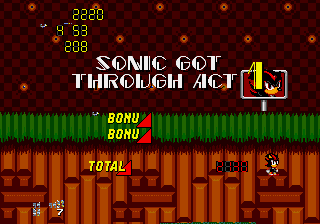
Project Shadow 2 is a fan-made demo for the SEGA Genesis, created as part of a series of unofficial Sonic the Hedgehog titles. This particular version is labeled Demo 4 v1.00 and was shared online by the Sonic Retro community. It is not a commercial release but a homebrew project that lets players control Shadow the Hedgehog in a classic 16-bit style.
The gameplay revolves around side-scrolling platforming action, with Shadow running through stages at high speed, collecting rings, and defeating enemies. The demo includes a few levels to test movement and mechanics, though the full scope of the game remains incomplete. Controls mimic the standard Genesis layout, with jumping and attacking mapped to the face buttons.
For retro fans who enjoy Sonic hacks and experimental demos, Project Shadow 2 offers a glimpse into what a proper Shadow game might have looked like on the Genesis. It is rough around the edges and limited in content, but it captures the spirit of the era. Worth a quick play if you are curious about fan projects from the early 2000s.
GAME INFO
- Platform
- SEGA Genesis
- Genre
- Platformer
- Version
- v1.00
How to play Project Shadow 2 online
This is a demo, so before you jump in, make sure the emulator keyboard mapping is set. Use the arrow keys to move Shadow left or right, press X to jump, and S to perform a spin attack or run. The start button (Enter) begins the game or pauses it.
Once the demo loads, you will choose a level from a simple menu (likely in English). The core loop is typical of Sonic-style platformers: run through stages, collect rings, dodge obstacles, and reach the goal. Rings protect you from one hit, and you can roll into enemies to defeat them. The demo is short, so explore each stage to see what was implemented.
Because this is an unfinished fan project, expect occasional glitches or abrupt endings. There is no save function, so play through the limited content in one sitting. If the menu text is unclear, just experiment with the controls to start a game.
CONTROLS
Controls
- Arrow Keys: D-Pad / Movement
- X: A button
- S: B button
- Z: C button
- A: X button (6-button pad)
- Q: Y button (6-button pad)
- E: Z button (6-button pad)
- Enter: Start / Mode
Project Shadow 2 FAQ
Does Project Shadow 2 have a multiplayer or co-op mode?
No multiplayer or co-op mode is included. This is a single-player demo focusing on Shadow's solo platforming.
In what year was Project Shadow 2 originally released?
The exact release year is not widely documented for this fan demo. It surfaced online as a downloadable ROM image sometime after 2000, likely in the early 2000s.
Is Project Shadow 2 exclusive to SEGA Genesis or did it appear on other systems?
This demo was created only for the SEGA Genesis as a ROM file playable on emulators or flash carts. It never appeared on other platforms.
You may also like
All SEGA Genesis games











GAME INFO
- Platform
- SEGA Genesis
- Genre
- Platformer
- Version
- v1.00
COMMENTS (0)
No comments yet. Be the first to share your thoughts.