CHOOSE A VERSION
2 versions · same consoleChoose an original release, regional version, revision, bootleg or clearly labelled ROM hack/mod, then press Play. Hacks may change the gameplay. Switching versions restarts the player.
Selected: Default · Europe · Beta · Europe
The game loads when you press Play · press “Play Now” inside the game if it asks.
Prince of Persia (Europe) (Beta)
Prince of Persia
Prince of Persia: Genesis Platformer
- SEGA Genesis
- Platformer
- Beta
- 5· 0 votes
GAME INFO
- Platform
- SEGA Genesis
- Genre
- Platformer
- Players
- 1
- Region
- Europe
- Version
- Beta
How to play Prince of Persia online
CONTROLS
Controls
- Arrow Keys: D-Pad / Movement
- X: A button
- S: B button
- Z: C button
- A: X button (6-button pad)
- Q: Y button (6-button pad)
- E: Z button (6-button pad)
- Enter: Start / Mode
Prince of Persia FAQ
Roughly how long does it take to finish Prince of Persia?
An experienced player can clear the full game in roughly one to two hours, provided they don't get stuck on the trickier traps and combat sections. First-time players might take closer to three or four hours due to trial and error.
Does Prince of Persia have a multiplayer or co-op mode?
No, this is a strictly single-player experience. The whole game is built around the Prince's solo journey through the dungeon.
Is there anything iconic or memorable about Prince of Persia?
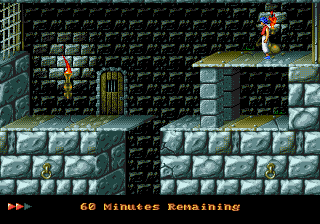
The rotoscoped animation was groundbreaking for its time - the Prince moves with a fluid, realistic motion that few platformers matched. The tense sixty-minute time limit and the many elaborate death animations (spikes, guillotines, falling) are also widely remembered.
You may also like
All SEGA Genesis games











GAME INFO
- Platform
- SEGA Genesis
- Genre
- Platformer
- Players
- 1
- Region
- Europe
- Version
- Beta
COMMENTS (0)
No comments yet. Be the first to share your thoughts.