The game loads when you press Play · press “Play Now” inside the game if it asks.
Panorama Cotton (Japan)
Panorama Cotton
What is Panorama Cotton?
- SEGA Genesis
- Shooter
- 5· 0 votes
GAME INFO
- Platform
- SEGA Genesis
- Genre
- Shooter
- Publisher
- Sun Corporation
- Developer
- Success
- Released
- 1994
- Players
- 1
- Region
- Japan
How to play Panorama Cotton online
Getting Started
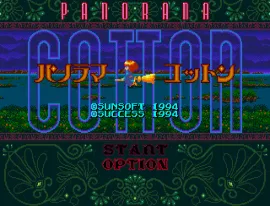
When you boot up Panorama Cotton, you're immediately thrown into the action. The screen shows a witch named Cotton flying through a surreal, scaling world. Press the Start button (Enter key) to begin. The game is entirely in Japanese, but the menus are straightforward: you'll see an option to start a new game and possibly a difficulty select. Just press A (X key) to confirm and you're off.
The core loop is simple: you control Cotton's aim with the D-Pad while she automatically flies forward along a set path. Enemies and obstacles appear from the distance, and you shoot them by pressing the attack button. Your goal is to survive each stage, collect power-ups that increase your firepower or grant temporary shields, and defeat the end-of-level boss. The game moves fast, so keep your finger ready on the trigger and watch for projectiles coming your way.
Because this is a Japanese-only release, all text is in Japanese. However, the gameplay is so straightforward that language isn't a barrier. The only potential confusion is the item pickups: some are for scoring, others for your health gauge or bomb stock. Experimentation will teach you quickly. If you're new to rail shooters, start on the easier difficulty and get a feel for the scaling backgrounds and enemy patterns.
CONTROLS
Controls
- Arrow Keys: D-Pad / Movement
- X: A button
- S: B button
- Z: C button
- A: X button (6-button pad)
- Q: Y button (6-button pad)
- E: Z button (6-button pad)
- Enter: Start / Mode
Panorama Cotton FAQ
Is Panorama Cotton exclusive to SEGA Genesis or did it appear on other systems?
It was released only for the Sega Mega Drive (Genesis) in Japan. No official ports or sequels exist for other home consoles or handhelds of the era, though the Cotton series itself has entries on other platforms.
In what year was Panorama Cotton originally released?
The original Japanese release date for Panorama Cotton on the Sega Mega Drive is 1994. No other regional launches followed.
Who developed Panorama Cotton?
The game was developed by Success, a Japanese studio known for several shoot 'em ups and the later Cotton series entries.
You may also like
All SEGA Genesis games











GAME INFO
- Platform
- SEGA Genesis
- Genre
- Shooter
- Publisher
- Sun Corporation
- Developer
- Success
- Released
- 1994
- Players
- 1
- Region
- Japan
COMMENTS (0)
No comments yet. Be the first to share your thoughts.