CHOOSE A VERSION
2 versions · same consoleChoose an original release, regional version, revision, bootleg or clearly labelled ROM hack/mod, then press Play. Hacks may change the gameplay. Switching versions restarts the player.
Selected: Default · USA · USA
The game loads when you press Play · press “Play Now” inside the game if it asks.
Mike Ditka Power Football (USA)
Mike Ditka Power Football
Mike Ditka Power Football - Sports Classic
- SEGA Genesis
- Sports
- 5· 0 votes
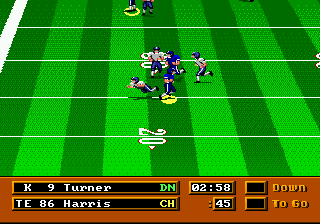
In terms of gameplay, you select a team from the NFL (though without an official license, teams and players are generic) and play through a season or individual exhibition matches. The core loop involves calling offensive and defensive plays, controlling the quarterback or running back, and moving the ball downfield for touchdowns. A key hook is the pre-game scouting report delivered by coach Ditka himself, giving you a brief rundown of the opponent's strengths and weaknesses. On the field, the action is typical 16-bit football: pass, run, tackle, and kick, with a simple button scheme for snaps, throws, and jukes. The game supports two players for head-to-head competition.
Today, Mike Ditka Power Football is a curiosity more than a classic. It's not as polished as Madden or Joe Montana Football, but its Ditka branding and scouting reports give it a unique personality. For retro collectors, it's a solid example of the many licensed sports titles that flooded the Genesis library. The gameplay is straightforward and functional, making it easy to pick up for a quick match. If you're into football games from this period or just enjoy weird sports licenses, it's worth a few minutes of your time.
GAME INFO
- Platform
- SEGA Genesis
- Genre
- Sports
- Publisher
- Accolade
- Developer
- Accolade
- Released
- 1991
- Players
- 1-2
- Region
- USA
How to play Mike Ditka Power Football online
Getting Started
When you boot up Mike Ditka Power Football, you are greeted by a title screen and a menu where you can choose between a single exhibition game or a season mode. Before each match, Coach Ditka appears on screen to deliver a short scouting report about your opponent. This is more for flavor than strategy, but it sets the tone. From there, you pick your team and the opposing team, then choose whether to start on offense or defense.
The core loop is classic football: on offense you select a play from a simple menu (run left, run right, pass, etc.), then snap the ball. Control the quarterback or the ball carrier using the D-pad and buttons. On defense you choose a defensive formation and try to stop the offense. The game uses a basic physics engine - no advanced passing mechanics or player specials. To tackle, just run into the ball carrier. Press the A button to jump (for interceptions or leaping catches), and the B button to perform a spin move or stiff arm when running.
New players should focus on learning the play calling flow. The computer opponent is not overly aggressive, so you can experiment with passes and runs. There are no complex stat tracking or deep strategies; it's a pickup-and-play sports title. If you want a challenge, try the season mode where you face all teams. The game supports two players, so grab a friend for head-to-head matches using the same controls on a second controller (EmulatorJS does not support two keyboards natively, but you can set up two players via external tools).
CONTROLS
Controls
- Arrow Keys: D-Pad / Movement
- X: A button
- S: B button
- Z: C button
- A: X button (6-button pad)
- Q: Y button (6-button pad)
- E: Z button (6-button pad)
- Enter: Start / Mode
Mike Ditka Power Football FAQ
What type of game is Mike Ditka Power Football?
It is a sports simulation focused on American football, designed for the SEGA Genesis. The game lets you play exhibition or season matches with generic NFL teams, and includes pre-game scouting reports narrated by Mike Ditka himself.
Is Mike Ditka Power Football an official release, a fan hack, a prototype, or another kind of build?
It is an officially licensed commercial game published by Sega. It was sold in retail stores for the Genesis and is not a fan hack, prototype, or homebrew project.
Is Mike Ditka Power Football considered easy to pick up or challenging?
The game is quite accessible for newcomers thanks to simple play selection and basic controls. It offers a moderate challenge at default difficulty, but experienced football fans may find it lacks the depth of more complex simulations like Madden.
You may also like
All SEGA Genesis games











GAME INFO
- Platform
- SEGA Genesis
- Genre
- Sports
- Publisher
- Accolade
- Developer
- Accolade
- Released
- 1991
- Players
- 1-2
- Region
- USA
COMMENTS (0)
No comments yet. Be the first to share your thoughts.