The game loads when you press Play · press “Play Now” inside the game if it asks.
Magical Hat no Buttobi Turbo! Daibouken (Japan)
Magical Hat no Buttobi Turbo! Daibouken
Magical Hat no Buttobi Turbo! Daibouken on Genesis
- SEGA Genesis
- Platformer
- 5· 0 votes
Magical Hat no Buttobi Turbo! Daibouken is a Japan-exclusive Sega Genesis title that came out in the early 1990s. It's a platformer from an era when the system was flooded with mascot-driven games, though this one never saw a Western release. The developer and publisher aren't widely documented, which adds to its mystique among collectors.
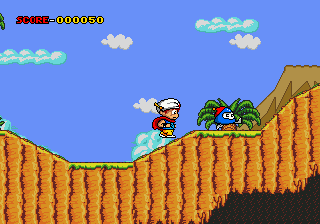
You control a character with a magical hat that lets you boost through levels. The core gameplay involves running, jumping, and dodging enemies across side-scrolling stages. There are power-ups to collect and obstacles to avoid, all tied to a mission that's presented entirely in Japanese text. The hat mechanic seems to be the main hook, offering temporary speed or flight.
Today, this title is a curiosity for retro enthusiasts who enjoy tracking down obscure region-locked games. It's not a masterpiece, but it captures the feel of early-90s platformers with its colorful graphics and straightforward action. If you're into Sega Genesis rarities, it's worth a quick playthrough just to see what Japan got that the rest of the world missed.
GAME INFO
- Platform
- SEGA Genesis
- Genre
- Platformer
- Players
- 1
- Region
- Japan
How to play Magical Hat no Buttobi Turbo! Daibouken online
Once you load the ROM, press Enter to start. The menu is in Japanese, so you'll need to navigate using the D-Pad and confirm with X (A button) or start with Enter. The first level begins immediately - no complex setup. Your goal is to reach the end of each stage while avoiding enemies and hazards.
The core loop is simple: run to the right, jump over pits, and defeat or avoid monsters. The magical hat gives you a temporary speed boost - collect red or blue items to activate it. Watch your health bar at the top; touching enemies or falling reduces it. There are no continues or saves, so it's a classic arcade-style challenge. Memorize enemy patterns and use the hat boost sparingly.
CONTROLS
Controls
- Arrow Keys: D-Pad / Movement
- X: A button
- S: B button
- Z: C button
- A: X button (6-button pad)
- Q: Y button (6-button pad)
- E: Z button (6-button pad)
- Enter: Start / Mode
Magical Hat no Buttobi Turbo! Daibouken FAQ
What type of game is Magical Hat no Buttobi Turbo! Daibouken?
It is a side-scrolling platformer for the Sega Genesis. The player controls a character with a magical hat that provides speed boosts and other abilities across various levels.
Is Magical Hat no Buttobi Turbo! Daibouken exclusive to SEGA Genesis or did it appear on other systems?
It is an exclusive Sega Genesis title that was only released in Japan. No ports or versions for other platforms have been documented.
Who developed Magical Hat no Buttobi Turbo! Daibouken?
The development studio is not widely known or documented in common retro gaming databases. It may have been produced by a small Japanese team, but specific attribution is unclear.
You may also like
All SEGA Genesis games











GAME INFO
- Platform
- SEGA Genesis
- Genre
- Platformer
- Players
- 1
- Region
- Japan
COMMENTS (0)
No comments yet. Be the first to share your thoughts.