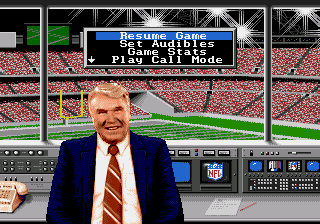
The game loads when you press Play · press “Play Now” inside the game if it asks.
Madden NFL '94 (USA, Europe)
Madden NFL '94
About Madden NFL '94
- SEGA Genesis
- Sports
- 5· 0 votes
GAME INFO
- Platform
- SEGA Genesis
- Genre
- Sports
- Publisher
- Electronic Arts
- Developer
- EA Orlando
- Released
- 1993
- Players
- 1-2
- Region
- USA, Europe
How to play Madden NFL '94 online
Getting started in Madden NFL '94 first means picking a game mode from the title screen - Exhibition, Season, or the Pro Bowl. Use the D-pad to highlight your choice and press Enter to confirm (Start). After that you choose your team and the opponent. The game uses NFL teams from the 1993 season, so you can pick from all 28 franchises.
Once on the field, the core loop revolves around the play-call menu. Press the A button (X key) to open the playbook, then scroll through formations using the D-pad. After selecting a play you can press the Y button (Z key) to flip it to the opposite side or bluff with the B button (S key) to try to fake out the defense. On offense, snap the ball with B and then use pass-catch mode (press A to throw to a receiver) or run with the ballcarrier using the D-pad. On defense you pick a play and control one player, trying to tackle the opponent or intercept passes.
New players should start with the easiest difficulty and play a few exhibition games to get used to the timing of button presses. A key tip: use the bluff play sparingly - it can be effective but overusing it makes you predictable. Also, the pass-catch mode takes practice; you need to press A when the intended receiver is highlighted. If you're unfamiliar with American football, the game's manual explains the basics, but the menu system is entirely in English so navigation is straightforward.
CONTROLS
Controls
- Arrow Keys: D-Pad / Movement
- X: A button
- S: B button
- Z: C button
- A: X button (6-button pad)
- Q: Y button (6-button pad)
- E: Z button (6-button pad)
- Enter: Start / Mode
Madden NFL '94 FAQ
Is Madden NFL '94 exclusive to SEGA Genesis or did it appear on other systems?
Madden NFL '94 was not exclusive to the SEGA Genesis. It was also released on the Super Nintendo Entertainment System, Game Boy, and SEGA Game Gear. The Genesis version is noted for its smoother animation and slightly different play-calling interface compared to the SNES port.
In what year was Madden NFL '94 originally released?
The original release year for Madden NFL '94 is 1993. It launched on the Genesis and SNES in the fall, timed with the start of the NFL season.
Who developed Madden NFL '94?
Madden NFL '94 was developed by Electronic Arts, specifically by their in-house sports team. The game was published worldwide by EA Sports, a label Electronic Arts created for its sports titles.
You may also like
All SEGA Genesis games











GAME INFO
- Platform
- SEGA Genesis
- Genre
- Sports
- Publisher
- Electronic Arts
- Developer
- EA Orlando
- Released
- 1993
- Players
- 1-2
- Region
- USA, Europe
COMMENTS (0)
No comments yet. Be the first to share your thoughts.