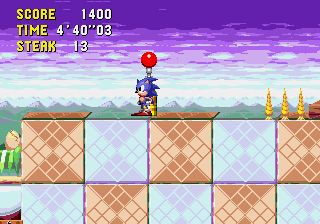
The game loads when you press Play · press “Play Now” inside the game if it asks.
I made you a Salad
I made you a Salad
I made you a Salad Overview
- SEGA Genesis
- Simulation
- Homebrew
- 5· 0 votes
I made you a Salad is a homebrew title for the SEGA Genesis that was entered into the SEGA Homebrew Contest in 2019. Unlike commercial releases of the era, this game was created by a solo developer or small team outside of the official publishing pipeline. It runs on original Genesis hardware or emulators and showcases the kind of creative, offbeat projects the homebrew scene produces.
As a simulation of preparing a salad, the player must assemble ingredients in the correct order or under certain constraints. The exact mechanics are not widely documented, but the core loop likely involves selecting from available items and arranging them properly. The control scheme uses the standard Genesis D-Pad and buttons, with a simple interface suited to its casual concept.
Because it is a contest entry, I made you a Salad is short and focused rather than sprawling. It is worth a look for anyone curious about the range of homebrew Genesis games or the themed creations from the 2019 contest. If you enjoy unusual sims or food-themed microgames, this might provide a few minutes of quirky fun.
GAME INFO
- Platform
- SEGA Genesis
- Genre
- Simulation
How to play I made you a Salad online
Getting Started
When you boot up I made you a Salad, you are presented with a title screen and a simple menu. Press Start (Enter key) to begin. The game appears to be in English since it is a homebrew contest entry aimed at an international audience, so reading and navigation should be straightforward.
Your goal is to prepare a salad by selecting the correct sequence of ingredients. Use the D-Pad to highlight choices and the A button (X key) to confirm. Pay attention to any prompts or visual cues that indicate what item is needed next. If you pick a wrong ingredient, the game may restart or deduct a try.
The entire experience is fairly short, designed to be completed in one sitting. The core loop repeats until you assemble the salad correctly. There are no continues or saves, so you will start over if you fail. This simplicity makes it easy to pick up and experiment with different selections.
CONTROLS
Controls
- Arrow Keys: D-Pad / Movement
- X: A button
- S: B button
- Z: C button
- A: X button (6-button pad)
- Q: Y button (6-button pad)
- E: Z button (6-button pad)
- Enter: Start / Mode
I made you a Salad FAQ
Is I made you a Salad an official release, a fan hack, a prototype, or another kind of build?
It is a homebrew game created for the SEGA Homebrew Contest in 2019. It was never distributed through official retail channels. The build available online is likely the contest entry version.
Is I made you a Salad exclusive to SEGA Genesis or did it appear on other systems?
The game was designed specifically for the SEGA Genesis platform. No ports to other systems have been documented. It can be played on original hardware or through emulation.
In what year was I made you a Salad originally released?
The exact release date is not widely documented, but it was entered into the 2019 SEGA Homebrew Contest, so development likely finalized around that year.
You may also like
All SEGA Genesis games











GAME INFO
- Platform
- SEGA Genesis
- Genre
- Simulation
COMMENTS (0)
No comments yet. Be the first to share your thoughts.