The game loads when you press Play · press “Play Now” inside the game if it asks.
HardBall! (USA)
HardBall!
About HardBall!
- SEGA Genesis
- Sports
- 5· 0 votes
GAME INFO
- Platform
- SEGA Genesis
- Genre
- Sports
- Publisher
- Accolade
- Developer
- Aackosoft
- Released
- 1991
- Players
- 1-2
- Region
- USA
How to play HardBall! online
Getting Started
When you boot up HardBall! on the Genesis, the title screen presents you with options to start a new game or adjust settings. Use the D-Pad to navigate and press the A button (X key) to confirm your choice. The game does not feature any story or tutorial, so you jump straight into a baseball game. At the start, you choose your teams from a selection of generic squads, each with different statistical strengths.
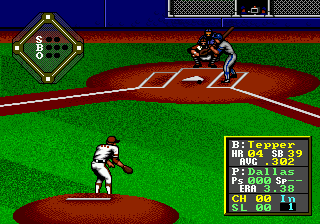
Once the game begins, you control the pitcher during defensive innings. You select a pitch type using the button prompts on screen, then aim with the D-Pad. Press the B button (S key) to throw. On offense, you bat by timing your swing with the B button as the ball approaches. After contact, use the D-Pad to run the bases. Fielding involves moving your player with the D-Pad and pressing the appropriate button to throw to a base. The core loop is simple: pitch, bat, run, and field through nine innings.
New players should pay attention to the pitch selection and batter timing. The game gives you feedback on each pitch's speed and location, so experiment with different types to keep the AI guessing. Fielding can be tricky because the camera angle is fixed, but practice will help you anticipate where the ball is going. HardBall! is a straightforward arcade-style baseball title with no complex management - just play ball.
CONTROLS
Controls
- Arrow Keys: D-Pad / Movement
- X: A button
- S: B button
- Z: C button
- A: X button (6-button pad)
- Q: Y button (6-button pad)
- E: Z button (6-button pad)
- Enter: Start / Mode
HardBall! FAQ
What makes HardBall! stand out among SEGA Genesis titles of its era?
HardBall! was one of the first baseball games to reach the Genesis after being a hit on home computers like the Commodore 64. It offered a more simulation-oriented approach compared to the arcade style of other sports titles on the system. Its focus on realistic pitch selection and timing made it a different experience for baseball fans.
Is there anything iconic or memorable about HardBall!?
The series is known for its longevity, spawning multiple sequels through the 1990s. The original game's simple yet effective gameplay showed how a computer port could work well on consoles. It also stands out for being an early unlicensed baseball game, free from MLB and MLBPA restrictions.
Who developed HardBall!?
The game was originally developed and published by Accolade for the Commodore 64 in 1985. The Genesis port was also handled by Accolade, but the specific developer for this conversion is not widely documented in common sources.
You may also like
All SEGA Genesis games











GAME INFO
- Platform
- SEGA Genesis
- Genre
- Sports
- Publisher
- Accolade
- Developer
- Aackosoft
- Released
- 1991
- Players
- 1-2
- Region
- USA
COMMENTS (0)
No comments yet. Be the first to share your thoughts.